Local-first document tools are transforming how we handle sensitive information in a world where nearly every online interaction involves data collection. From invoices and legal agreements to academic assignments, users are increasingly looking for tools that offer both convenience and absolute privacy.
The traditional "SaaS" model has conditioned us to believe that for a tool to be powerful, it must be cloud-based. However, this convenience comes with a hidden cost: your data. Many traditional PDF tools rely on cloud-based processing, meaning your files are uploaded to external servers before being modified. At FDM AI, our approach is fundamentally different. Our ecosystem is built around a local-first document tools architecture, ensuring your files remain on your own device during every step of the processing phase.
The Hidden Risks of Moving Away from Local-First Document Tools
Most online document platforms process files remotely. When you upload a PDF to a cloud compressor, your document exists on someone else’s server. This "transit" phase is the weakest link in your digital security chain.
For professionals and individuals working with high-stakes data, this creates a potential security concern. Even when companies claim to delete files, there is still a window of time where sensitive information is stored externally. That’s why privacy-focused users are shifting toward local-first document tools that process files locally. By keeping data on the machine, you eliminate the risk of server-side data breaches entirely.
What Makes Local-First Document Tools Different?
A "local-first" application performs all file operations directly inside your web browser using your device’s own processing power. Instead of the traditional "Upload → Process → Download" loop, the workflow is streamlined within your local environment.
The transition to local-first document tools offers several major advantages over the cloud:
Faster processing: No waiting for files to upload or download from a server.
Absolute Privacy: Since the file never leaves your machine, it cannot be intercepted.
Reduced Security Risks: You are no longer vulnerable to server-side hacks.
Lower Bandwidth: Ideal for users with limited data or slow internet.
Using Local-First Document Tools to Compress PDFs
Large PDFs are a common hurdle in digital communication. traditionally, the solution was to "upload" the file to a compressor, but that is a major privacy risk. This is where a local-first document tools approach to compression becomes essential.
How Local-First Document Tools Handle Compression
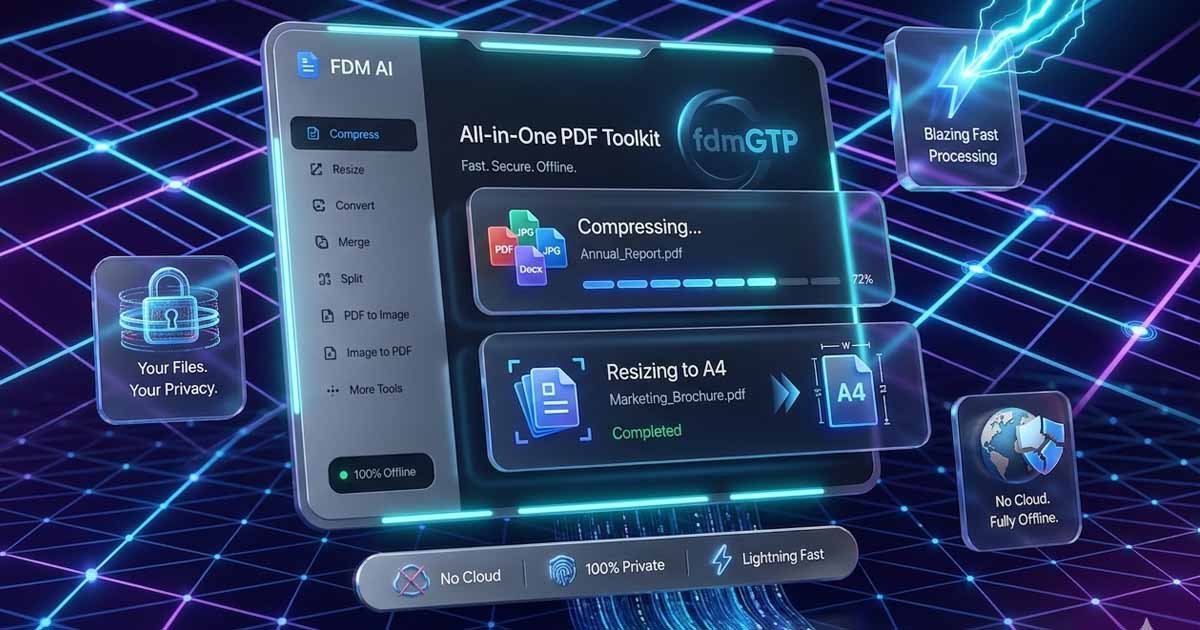
Our browser-based PDF compressor intelligently analyzes document structures and optimizes fonts and images locally. Because the processing happens on your hardware, your PDF never leaves your device. This is the gold standard for:
Freelancers sending proposals with confidential pricing.
Students submitting assignments through secure portals.
Businesses handling internal reports that shouldn't be on the public cloud.
Resize Documents and Images With Precision and Privacy
Formatting issues are frustrating. A document designed for A4 may display incorrectly in US Letter format. Our Document & PDF Resizer solves these problems with professional formatting controls—all while maintaining the same local-first document tools standard.
Professional Results with Local-First Document Tools
The resizer includes support for a wide variety of standard formats, ensuring your work looks professional across all mediums:
Print Standards: A4, Letter, Legal.
Digital Standards: Full HD, 4K.
Social Media: Square, Portrait, and Landscape presets.
By using local-first document tools, we ensure that your creative assets and professional documents remain entirely under your control. No uploads, no cloud storage, and—most importantly—no watermarking.
Why Privacy-First Tools Matter More Than Ever
As remote work and digital collaboration continue to grow, document privacy is becoming a critical human right. Cloud-based systems are convenient, but convenience should not come at the expense of your security.
Local-first document tools like those provided by FDM AI reduce your "attack surface." By eliminating unnecessary data transfers, you effectively eliminate the possibility of your sensitive data being caught in a server-wide breach. For many users, this creates a safer, more trustworthy, and ultimately more productive workflow.
H2: Why Users Choose FDM AI for Local-First Processing
We have built our ecosystem to remove the friction often associated with professional document tools:
No Sign-Ups: You shouldn’t need to trade your email address just to resize a file.
No Watermarks: We believe your professional documents should stay professional.
Privacy-Focused by Design: We don't just "say" we care about privacy; our code is architected so that your files physically cannot be sent to our servers.
Final Thoughts on Local-First Document Tools
The future of document management is shifting away from cloud dependency and toward privacy-conscious, browser-based workflows. Local-first document tools offer a smarter balance between convenience, performance, and security.
By processing files directly inside your browser, you gain greater control over your data while enjoying faster performance. As digital literacy increases, tools that prioritize local processing will continue to become the preferred choice for those who value their privacy.
Ready to Optimize Your Workflow?
Compress files securely using our Local PDF Compressor.
Resize documents and images privately with the FDM AI Document & PDF Resizer.