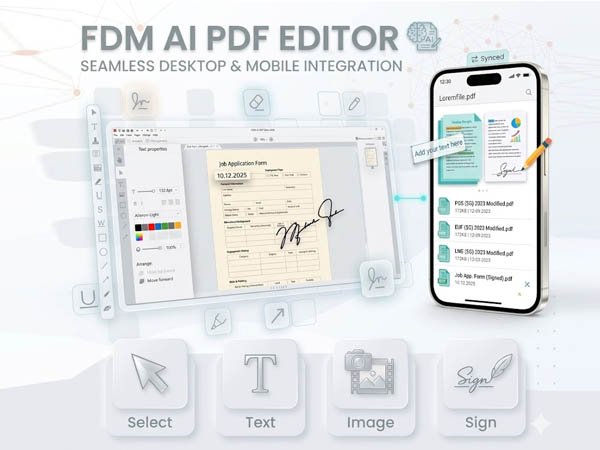
Select
Text
Image
Sign

Secure Browser-Native Workspace by FDM AI

Free Online AI PDF Editor Suite

Easily modify PDF documents online. Insert text layers, attach transparent graphics, and draw secure signature vectors instantly without account signups or data server uploads.

Ready to Edit

Upload your PDF document to initialization channels to configure layers locally.

Illustration of FDM AI PDF Editor processing structural document layers, allowing dynamic text additions, logo positioning, and secure electronic signatures
Interactive demonstration dashboard of FDM AI PDF Editor executing document page rendering, annotation stacking, and original aspect ratio vector exports.
Advanced Annotation Sandbox • 100% Free

The Ultimate AI PDF Editor

The PDF Editor by FDM AI is a high-speed, client-side document processing suite engineered to edit PDF files online seamlessly. Overlay customized typography, integrate high-resolution corporate logos, and apply secure digital signatures while preserving the raw vector dimensions, fonts, and sub-pixel alignment of your original document layout.

  • Interactive Text & Asset Layering

    Effortlessly insert structural text layers, adapt font sizing adjustments, and modify color fields globally. Overlay high-density transparent graphics anywhere across your document matrix with pinpoint mouse and drag positioning.

  • Biometric Vector Signatures

    Execute secure, crisp digital signatures instantly using an interactive built-in drawing canvas wrapper. Signature strokes are normalized into high-fidelity grouped shapes to prevent anti-aliasing or pixel blur upon final file assembly.

  • Bulletproof Aspect Ratio Export

    Never worry about warped layouts. The processing core caches the physical point metrics of individual sheets during parsing, rendering clean outputs using the precise baseline proportions of your source document.

Open PDF Editor Client-side document compiler, advanced vector brush modals, and object stacking control — 100% free with no backend tracking rules.

FDM AI PDF Editor provides secure, zero-latency document modification services engineered for workflows requiring professional form filling, document decoration, and digital signing infrastructure. Instantly adjust font parameters, place brand assets, and map canvas states safely within an isolated, zero-trust web rendering execution profile.

3-Step Document Assembly Suite

How FDM AI’s PDF Editor Works

Overlay text fields, integrate signatures, and map layout states in seconds through three secure, client-side browser steps.

  1. Open Target PDF

    Select any PDF file directly from your local hardware device storage. Drag & drop inside the dropzone window or browse via native upload.

  2. Overlay Annotations

    Double click to edit text blocks, place image assets, or use the interactive canvas module to sign documents securely.

  3. Compile & Save PDF

    Trigger the local document compiler to merge your asset layers into a perfectly bounded document without formatting corruption.

Matrix Architecture

Supported Components & Capabilities

Engineered with the fdmGTP Engine for secure, browser-native client-side canvas synchronization.

Component Layer Placement Scaling Local Isolation Processing Behavior & Specifications
Dynamic Typography Interactive I-Text layers supporting custom hex selections, sizing increments, and vector point transformations.
Image/Logo Injection Supports transparent legacy PNG, JPG layouts, and next-gen WebP or AVIF branding assets with bounding box rules.
Vector Signatures Normalizes manual drawing brush coordinates into clustered vector shapes to preserve absolute line fidelity.
PDF Vector Canvas Locks underlying core layouts, preventing paragraph shifting or font mapping breakages upon compilation.
Layout Frameworks

Standard Document Standards & Presets

Pre-configured cross-platform parameters optimized inside the FDM AI browser template rendering workspace.

Global Standard

A4 Page Layout

210 × 297 mm ($595 \times 842$ pt). Globally recognized matrix format optimal for academic papers, corporate contracts, and formal documentation.

ISO 216 Standard
North America

US Letter Size

8.5 × 11.0 in ($612 \times 792$ pt). The primary layout architecture specified for legal business correspondence, marketing portfolios, and general office prints.

ANSI/ASME Size A
Compliance Docs

US Legal Format

8.5 × 14.0 in ($612 \times 1008$ pt). Elongated physical bounding grid dimensioned explicitly to map real estate actions, affidavits, and notary agreements.

Extended Legal Canvas
Media Publishing

A5 Booklet Leaflet

148 × 210 mm ($420 \times 595$ pt). Half-size canvas allocation engineered cleanly for product catalog structures, event pamphlets, and technical manuals.

Compact Print Optimization
Knowledge Base

Frequently Asked Questions — PDF Editor

Find clear answers about FDM AI’s core document editing framework — how to safely edit layouts, embed assets, apply local signatures, and protect your data privacy in 2026.

  • Q

    What is FDM AI’s PDF Editor?

    It is a browser-native, client-side free document annotation suite engineered to alter PDF schemas locally. Overlay textual components, introduce branding logos, and execute signature scripts without ever transmitting data to external servers.

  • Q

    Is the PDF editing tool completely free?

    Yes, it is 100% free with no sign-up or hidden barriers. You can compile multiple document variants, place unrestricted textual strings, draw signatures, and download water-mark free PDFs with no premium tiers.

  • Q

    Will modifying my PDF warp or distort the original sheet size?

    No. The fdmGTP engine extracts and caches the physical point boundaries (A4, US Letter, or Legal) during the initialization step. The compiler builds your saved file directly on top of those cached parameters, preventing alignment anomalies.

  • Q

    Why does the background look sharp on mobile screens but blurry elsewhere?

    Our system leverages a structural Device Pixel Ratio (DPR) backing adjustment. This captures and scales the canvas viewport grid dynamically across high-density devices, completely neutralizing font fuzziness or layout pixelation.

  • Q

    How secure are my uploaded contracts and sensitive business files?

    Your privacy is completely private. Our platform relies on isolated browser runtime scripts. Document payloads are processed exclusively inside temporary memory buffers, ensuring no data ever touches an external server.

  • Q

    Can I execute digital signatures on tablet screens or mobile viewports?

    Yes. The signature builder supports standard touch events natively. Handheld strokes are processed seamlessly on mobile screen devices, rendering clean vector graphics without disrupting standard page scrolling behaviors.

  • Q

    What file extensions can I upload to the layout editor?

    The primary upload parser accepts binary application/pdf streams. For image insertion overlays, the sandbox engine accepts PNG, JPG, WebP, and AVIF graphics natively.

  • Q

    Can I edit preexisting text characters inside my document?

    This system operates as a zero-friction document design editor. It allows you to append new textual string elements, mask rows, and overlay signatures securely, without introducing layout shifts or text displacement bugs.