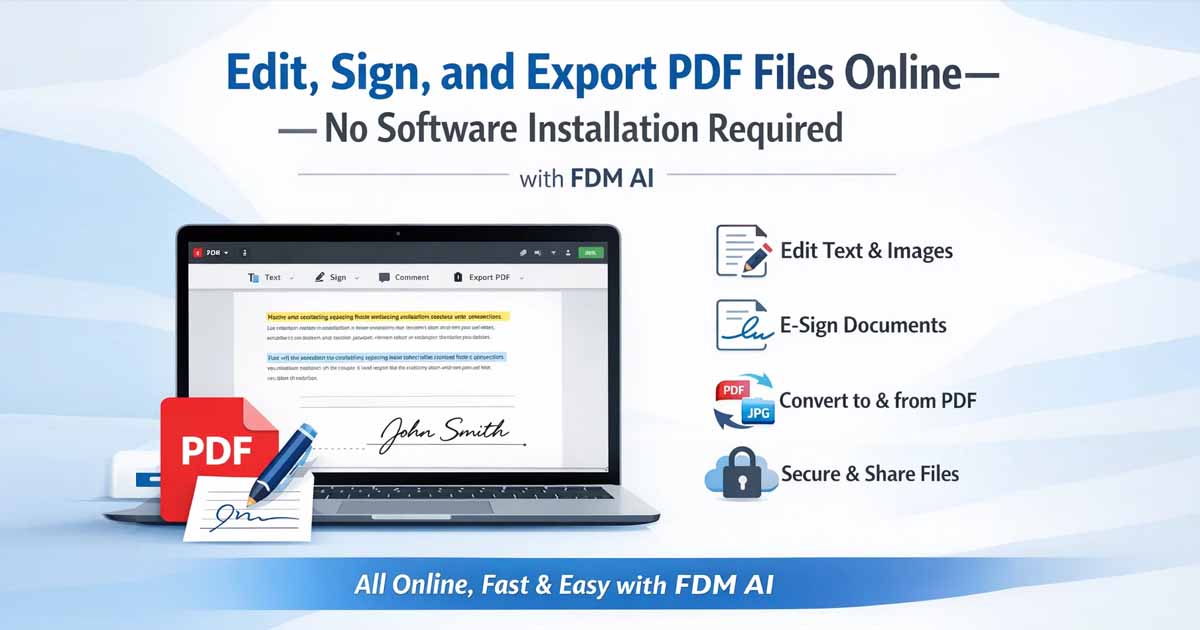
(Freedocumentmaker.com) - Managing PDF files used to require installing large software programs, purchasing expensive licenses, and dealing with complex interfaces. Today, that approach is no longer necessary. A modern online PDF editor allows anyone to edit, sign, and manage PDF documents directly in a web browser—quickly and without installing software.
This guide explains what an online PDF editor is, how it works, its main features, benefits, limitations, and how to choose the best free option.
What Is an Online PDF Editor?
An online PDF editor is a browser-based tool that lets users edit PDF files over the internet. It works entirely inside a web browser and does not require software installation, downloads, or device-specific setup.
With an online PDF editor, users can modify text, add images, sign documents, annotate pages, and export updated files instantly. These tools are designed for speed, convenience, and accessibility.
How Does an Online PDF Editor Work?
Most online PDF editors follow a simple process:
Upload the PDF file through the browser
Edit the document using built-in tools
Export or download the updated PDF
Because the editor runs online, your device does not need high processing power. Online PDF editors work smoothly on Windows, macOS, Linux, tablets, and even mobile devices.
Key Features of an Online PDF Editor
A modern online PDF editor usually includes the following features:
Edit existing text or add new text
Insert images, icons, and shapes
Draw or upload digital signatures
Highlight, underline, or comment on text
Undo actions and preview changes
Export PDFs without quality loss
Convert PDFs to Word, JPG, or other formats
These features cover most daily document editing needs.
Why Use an Online PDF Editor?
People choose online PDF editors over desktop software for several reasons:
Fast access: Open and edit PDFs instantly
No installation: Works directly in the browser
Easy to use: No learning curve
Device-friendly: Works on low-end or shared devices
Cost-effective: Many tools are free for basic use
Online PDF editors are especially useful for students, freelancers, remote teams, and small businesses.
Security and Privacy of Online PDF Editors
Security is an important factor when editing documents online. Reputable online PDF editors use encrypted HTTPS connections to protect files during upload and processing.
Most platforms store files temporarily and automatically delete them after processing. Users should always review the privacy policy of any online PDF editor before uploading sensitive documents.
Limitations of Free Online PDF Editors
While online PDF editors are convenient, many free tools have limitations:
File size restrictions
Daily usage limits
Watermarks on exported files
Locked advanced features like OCR
These limitations vary by platform and often encourage paid upgrades.
Perfect PDF Editor – Free & Browser-Based
For users who want a simple experience without watermarks or account requirements, Perfect PDF Editor by Free Document Maker (FDM AI) offers a clean and practical solution.
With this online PDF editor, users can:
Add and edit text anywhere in a PDF
Sign documents digitally
Undo changes instantly
Export clean PDFs with no watermark
Use the editor without login or registration
👉 FreeDocumentMaker's Perfect PDF Editor
Who Should Use an Online PDF Editor?
Online PDF editors are ideal for:
Students editing assignments or forms
Freelancers signing contracts and proposals
Businesses updating invoices or documents
Everyday users who need quick PDF edits
Online PDF Editor vs Desktop PDF Software
Online PDF Editors
Lightweight and fast
No installation required
Best for everyday editing tasks
Desktop PDF Software
Heavy and expensive
Requires installation and updates
Better suited for complex design or archival work
For most users, an online PDF editor is the more practical choice.
Final Thoughts
An online PDF editor has become the easiest and fastest way to manage PDF documents. It removes the need for heavy software and simplifies everyday editing tasks. For users who value speed, simplicity, and flexibility, browser-based PDF editors are now the standard solution.
If you want a free, no-login, watermark-free solution, try Perfect PDF Editor by Free Document Maker and edit PDFs directly in your browser.