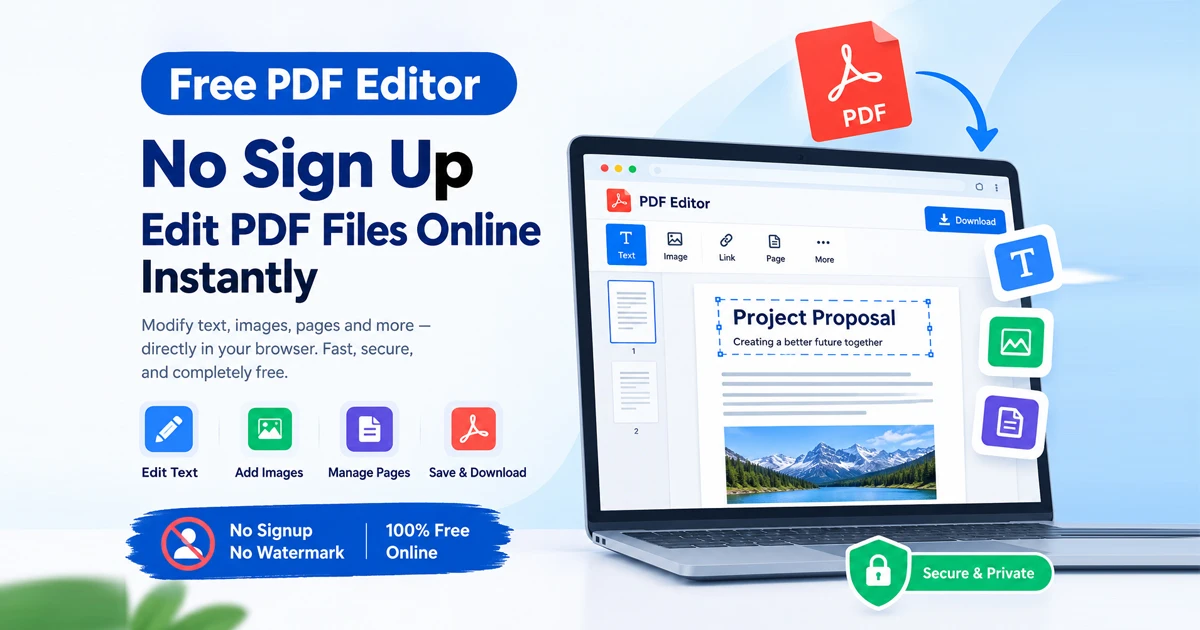
Looking for a reliable free pdf editor no sign up? When you need to quickly add text boxes, fill out a form, insert a signature, or organize pages in a PDF file, you shouldn't be blocked by a mandatory account creation wall or a paid subscription prompt. Most legacy document tools turn a simple edit into a frustrating ordeal by demanding email registrations or software installation. Fortunately, a modern free pdf editor no sign up lets you modify, sign, and manage your documents instantly right inside your web browser.
Most legacy document tools turn a simple 30-second edit into a frustrating ordeal by demanding email registrations, installing heavy software, or stamping unwanted branding watermarks across your final document.
A Free PDF Editor No Sign Up changes the workflow completely. By leveraging browser-native processing and zero-friction interfaces, you can edit, sign, and manage your PDF files instantly right inside your web browser.
Why Choose a Zero-Login Online PDF Editor?
When working with sensitive contracts, academic assignments, or personal resumes, speed and privacy are paramount. Traditional cloud editors often require invasive sign-ups that collect personal data. A modern, browser-based editor offers distinct advantages:
Instant Access: No waiting for email verification codes or password setups. Drop your file and start editing immediately.
Complete Privacy: Client-side processing ensures your documents stay secure within your browser sandbox.
No Hidden Paywalls: Access essential editing tools, text modifications, and layout adjustments without unexpected subscription traps.
Clean Outputs: Download your edited document completely free of branding watermarks.
Top Free No-Sign-Up PDF Editors
The landscape of online document management includes several reliable utilities designed for quick, frictionless edits:
Free Document Maker (FDM AI) PDF Editor: A high-performance, browser-native document workspace that allows you to modify text, structure layouts, and manage PDF files locally with zero registration or watermarks.
PDFgear: Enables users to add text boxes, shapes, signatures, comments, and organize pages directly in the browser with no registration required for files up to 100 MB.
SimplePDF: A clean, privacy-focused browser-based editor that processes files locally on your device with zero data collection or account creation.
TinyWow PDF Editor: Offers quick online tools to edit text, add annotations, draw, insert shapes, and sign documents without requiring software installation.
How to Edit a PDF Online for Free Using FDM AI
Modifying your documents using the Free Document Maker Document Editor takes just a few seconds:
Open the Editor: Navigate directly to the FDM AI PDF Editor in any modern browser.
Upload Your File: Drag and drop your PDF document into the browser workspace panel.
Make Your Edits: Add text, insert annotations, fill out form fields, or sign the document using the intuitive toolbars.
Export Instantly: Click download to save your clean, unwatermarked PDF file directly to your local device.
Feature Comparison: Free No-Sign-Up PDF Editors
Feature | FDM AI PDF Editor | Legacy Desktop Suites | Standard Cloud Editors |
Account Required | None (Zero Login) | Required / Installed | Mandatory Sign-up |
Watermarks | Zero Watermarks | None | Often Present on Free Tiers |
Cost | 100% Free | Expensive License | Subscription Paywalls |
Platform Access | Any Web Browser | Desktop OS Only | Browser (Restricted) |
Frequently Asked Questions (FAQ)
What is a free PDF editor with no sign-up?
A free pdf editor no sign up is an online web utility that allows you to modify, sign, and annotate PDF documents directly in your browser without requiring an account, email registration, or subscription.
Do I need to install any software to edit my PDF?
No. Browser-native editors run entirely online or inside your browser environment, letting you edit documents instantly without software downloads.
Are my files secure when editing online?
Yes, privacy-focused platforms utilize secure browser-native rendering and local sandbox processing to ensure your private documents are handled safely.
Will there be any watermarks on my edited PDF?
Free Document Maker and similar modern zero-login tools deliver clean, professional outputs with absolute zero branding watermarks.
Start Editing Your PDFs Instantly
Stop wasting time creating accounts just to make a simple adjustment to a document. Experience fast, free, and secure browser-based PDF editing today.