In today's fast-paced digital world, document sharing is an essential part of daily communication for students, freelancers, business professionals, and enterprise teams alike. However, handling oversized PDF files remains a major friction point. Large files slow down email delivery, fail strict platform attachment limits, consume valuable cloud storage, and frustrate recipients who have to wait for long downloads.
Whether you are sending a job application with a portfolio, submitting legal documentation, or sharing a heavy corporate report, optimizing your files is critical. Fortunately, modern web technology powered by the FDM AI logic engine makes it simple to reduce file sizes instantly using a Free AI PDF compressor—all without sacrificing document quality or compromising your personal privacy.
The Hidden Risks of Traditional Cloud PDF Tools
When most people need to shrink a document, their first instinct is to search for a basic online compressor. However, conventional online tools rely on traditional server-side processing:
You upload your sensitive file to a remote third-party server.
The server processes and compresses the document on its end.
You download the processed file back to your device.
While this setup works, it introduces two major drawbacks: security risks and inefficiency. Sending confidential contracts, financial statements, or personal identity documents over the web exposes your data to potential server logs, breaches, or unauthorized retention. Furthermore, uploading multi-megabyte files on slow or unstable network connections can turn a simple task into a frustrating bottleneck.
Why Use a Free AI PDF Compressor with Client-Side Processing?
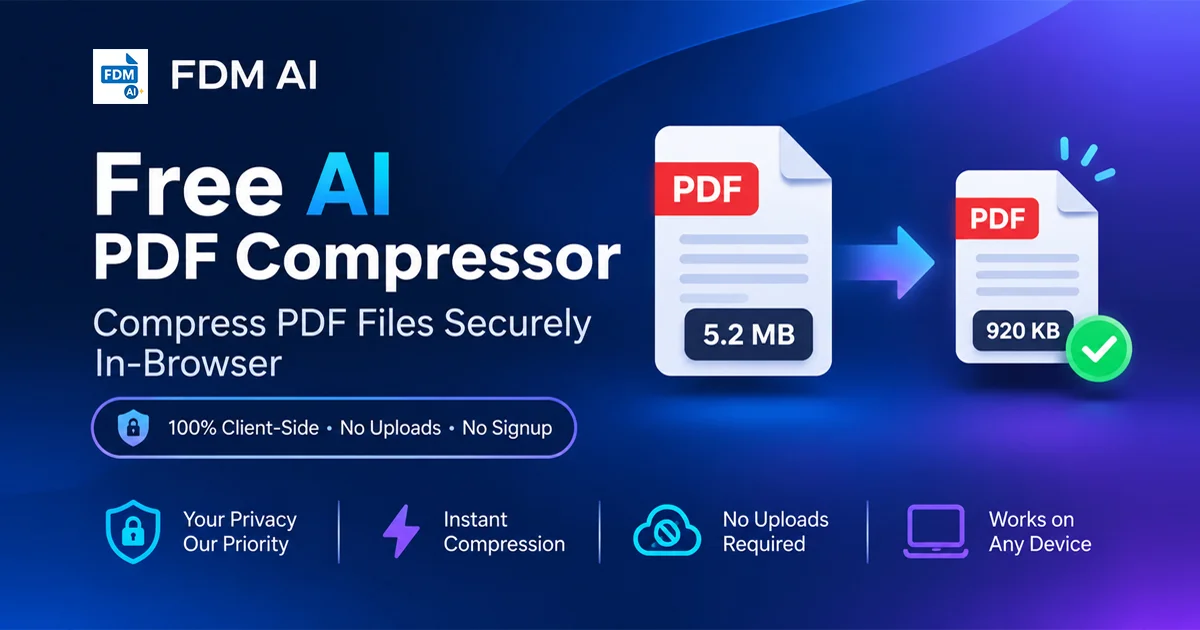
Using a modern Free AI PDF compressor fundamentally changes how document processing works by leveraging 100% Client-Side Processing. Instead of routing your files to distant servers, the Free AI PDF compressor engine executes locally inside your web browser.
Here is why client-side processing is superior:
Absolute Data Privacy: Because your files are parsed, compressed, and generated inside your local browser memory, your sensitive documents never leave your computer or mobile device.
Zero Upload and Download Wait Times: Eliminating remote server communication means processing begins instantly. Even large documents are compressed in a fraction of a second without waiting for network transfers.
Cross-Device Compatibility: Works seamlessly across desktops, laptops, tablets, and smartphones running modern web browsers without requiring desktop installations or mobile app store downloads.
No Software Installation Required: Access enterprise-grade file compression directly through your web browser using a Free AI PDF compressor without downloading executable files or worrying about background system bloat.
Core Features of the Free AI PDF Compressor
Designed to provide high performance while maintaining a clean, user-friendly interface, our Free AI PDF compressor offers several powerful advantages:
1. Smart Quality Preservation
The AI-driven compression algorithms analyze document elements intelligently. High-resolution imagery and graphical assets are optimized for screen viewing and printing without turning your text blurry or unreadable.
2. High-Ratio File Size Reduction
Whether your PDF contains high-density scanned pages, vector graphics, or embedded media assets, the Free AI PDF compressor strips unnecessary metadata and compresses visual elements to significantly shrink file footprint.
3. Infinite Scalability with Zero Fees
There are no artificial usage caps, hourly limits, or hidden paywalls. Compress as many documents as your workflow requires without signing up for subscription plans.
Step-by-Step: How to Compress PDFs Online in Seconds
Reducing your PDF file size takes only a few seconds when using a Free AI PDF compressor:
Open the Tool: Go directly to the Free AI PDF Compressor tool.
Select or Drag-and-Drop: Drag your PDF file straight into the secure browser interface or click to select it from your local storage.
Automatic Local Optimization: The Free AI PDF compressor processes your file locally within your browser memory.
Download Your Optimized File: Click to save your newly compressed PDF directly to your device.
Expand Your Workflow with the FDM AI PDF Suite
Document management goes far beyond file compression. Once your documents are optimized, you can take advantage of an entire ecosystem of native web tools designed to streamline your digital asset workflow:
Compress & Optimize Documents: Access the standalone Free AI PDF Compressor whenever you need fast, secure file reduction.
Complete Document Workspace: Explore the comprehensive FDM AI PDF Suite to unlock an all-in-one suite of web utilities built for modern web users.
By switching to client-side productivity software like our Free AI PDF compressor, you reclaim complete control over your private data while enjoying lightning-fast performance. Try the Free AI PDF compressor today and experience how effortless secure document optimization can be!