Handling paperwork in the modern digital landscape shouldn't require printing physical sheets, hunting down a scanner, or committing to expensive software subscriptions. Whether you are managing legal contracts, sending client invoices, filling out vendor agreements, or executing non-disclosure agreements, choosing a reliable free online PDF signer directly in your web browser ensures fast, professional, and secure results.
By leveraging client-side web technology, modern online document platforms enable you to sign, edit, and format files locally. This guide breaks down everything you need to know about secure electronic signatures, browser-based file editing, and how to integrate a free online PDF signer into your daily business operations.
Why Choose a Client-Side Free Online PDF Signer?
Traditional document tools often require users to upload confidential files to cloud servers for remote processing. This remote rendering approach introduces latency, consumption of server resources, and potential data exposure risks. A native client-side free online PDF signer alters this process by executing all cryptographic calculations right inside your browser window.
1. Complete Privacy and Data Security
When you process files using a privacy-first free online PDF signer, your document bytes stay on your machine. The signature script runs within your local browser environment, meaning no private financial records, legal terms, or personal identity details are uploaded to a remote database or cloud storage server.
2. Instant Rendering and Download Speeds
Network latency can slow down traditional upload-and-convert document workflows. Because browser-native processing handles all text rendering and vector placement on your local device hardware, signing and saving your documents takes less than a second.
3. Zero Cost and No Account Barriers
Many commercial PDF platforms place essential features behind aggressive paywalls or strict monthly limits. A free online PDF signer allows individual creators, freelancers, and small business owners to execute signatures without hidden fees, mandatory user registrations, or credit card requirements.
4. Cross-Platform Hardware Support
Whether you work on Windows, macOS, Linux, iOS, or Android, client-side signature engines run uniformly across modern WebGL and HTML5-compliant web browsers without installing extra native applications or browser plugins.
Essential Features of a Free Online PDF Signer
Before adopting an e-signature tool into your business workflow, verify that your chosen free online PDF signer supports the core customization options needed for legal and formal paperwork:
Feature | Capabilities & Options | Business Use Case |
|---|---|---|
Flexible Signature Creation | Draw freehand with mouse/touchscreen, type using stylized cursive fonts, or upload clear PNG images. | Adapts to official legal agreements, personal sign-offs, or company stamps. |
Custom Annotation Fields | Drag-and-drop custom text boxes, date pickers, checkmarks, and job title fields. | Fills out incomplete contracts, application forms, and invoice approvals. |
Vector-Based PDF Embedding | Embeds drawn vector points cleanly directly into the underlying document structure. | Ensures signatures remain sharp when printed or zoomed in on high-resolution displays. |
Clean Watermark-Free Export | Renders finalized output files without intrusive third-party promotional logos. | Maintains corporate branding and high presentation standards for client-facing documents. |
Step-by-Step: How to Sign Documents with a Free Online PDF Signer
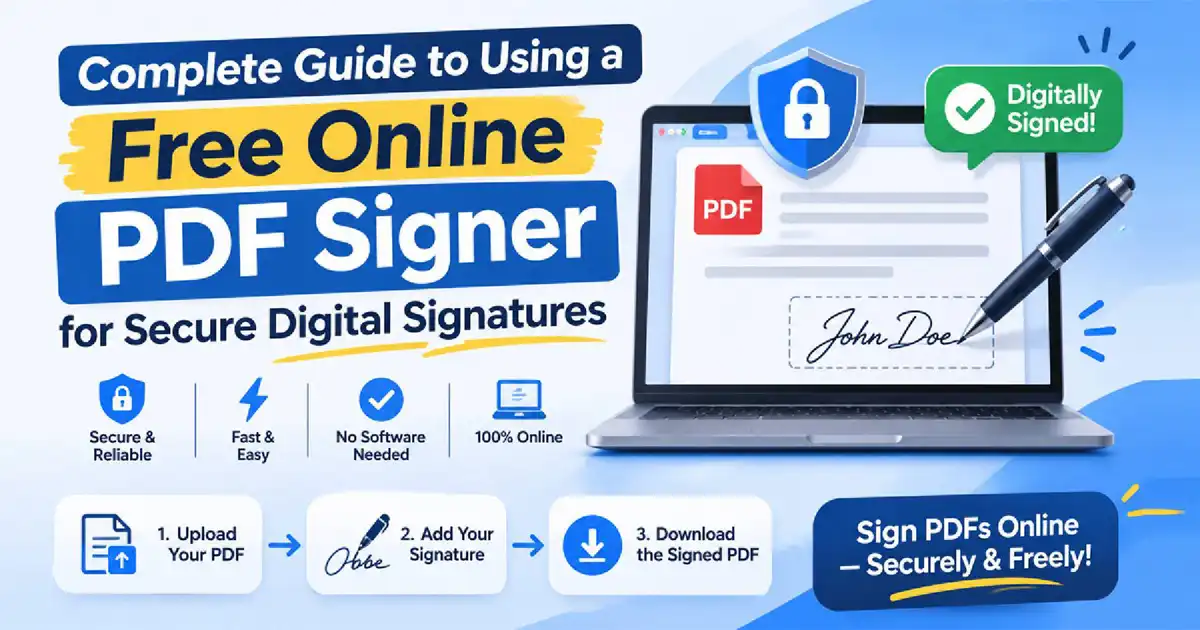
Executing your digital signature takes only a few quick steps from start to finish:
Select and Load Your PDF DocumentOpen your browser and drag your target PDF into the free online PDF signer layout. Your file renders in a local browser canvas preview.
Generate Your Personal SignatureClick the signature tool on the toolbar. Choose your preferred input mode:
Draw: Write your signature using a trackpad, mouse, or touchscreen stylus.
Type: Input your legal name and choose a stylized signature script font.
Upload: Choose a pre-saved PNG image file of your physical signature with a transparent background.
Position and Resize Signature FieldsClick to place the generated signature onto your document page. Drag the selection box onto the signature line, scaling the dimensions as needed.
Add Supporting Document DetailsAppend additional field elements such as today's date, your printed full name, corporate title, or quick verification checkmarks to complete the contract requirements.
Bake Signature & Download FileClick Finish & Download. The local script bakes your vector overlays into the PDF file structure and downloads the completed document directly to your device storage.
Streamlining Your Document Workflow with Connected Tools
A signed contract is usually just one stage in a broader document creation process. To maintain high productivity, pairing your free online PDF signer setup with dedicated browser-native document utilities helps streamline your entire content production pipeline.
Modifying Structure with the Free PDF Editor
Before collecting signatures, you often need to adjust existing document layouts. Using our Free Online PDF Editor allows you to reorder pages, remove unnecessary sections, append supplementary tables, and insert last-minute text edits directly into existing PDF files. Combining structural editing with electronic signing in a single browser tab prevents file conversion errors and keeps your final output clean.
Drafting Content in the Online Document Editor
If you are building agreements, proposals, or project plans from scratch before converting them into PDF format, draft your content using our web-based Online Document Editor. This tool provides intuitive rich-text formatting, custom styling, heading hierarchies, and quick layout controls—allowing you to generate pristine files before freezing them for final e-signature collection.
Frequently Asked Questions (FAQ)
Are electronic signatures legally binding for business contracts?
Yes. Electronic signatures generated via a free online PDF signer are legally valid and enforceable across many jurisdictions globally under regulations like the US ESIGN Act and the EU eIDAS Regulation. They apply to standard commercial agreements, non-disclosure agreements, employment offers, and client proposals.
Is my file data stored on remote servers while using this tool?
No. Tools built on browser-native client architecture run all signature rendering routines locally within your active browser session. Your confidential files are never transmitted to outside servers or stored in remote databases.
Can I use a free online PDF signer on mobile devices?
Yes. The client-side signature interface adapts automatically to smaller screen layouts, allowing you to sign documents using your finger or a stylus on smartphones and tablets across iOS and Android platforms.
Do I need to create an account or install plugins?
No registration or installation is required. You can process, sign, and export your PDF documents directly inside your web browser instantly.
Upgrade Your Document Productivity Today
Eliminate manual paper processing, eliminate recurring software fees, and protect your privacy with client-side document processing tools. Start signing your contracts securely with our Free Online PDF Signer, refine existing PDF layouts through the PDF Editor, and draft custom templates inside the Document Editor.