Signature Layer Selected

Secure Browser-Native Placement Engine by FDM AI

Sign PDF at Exact Position

Upload your document, draw or type a secure signature layer, then drag, scale, and place it anywhere onto the pages natively.

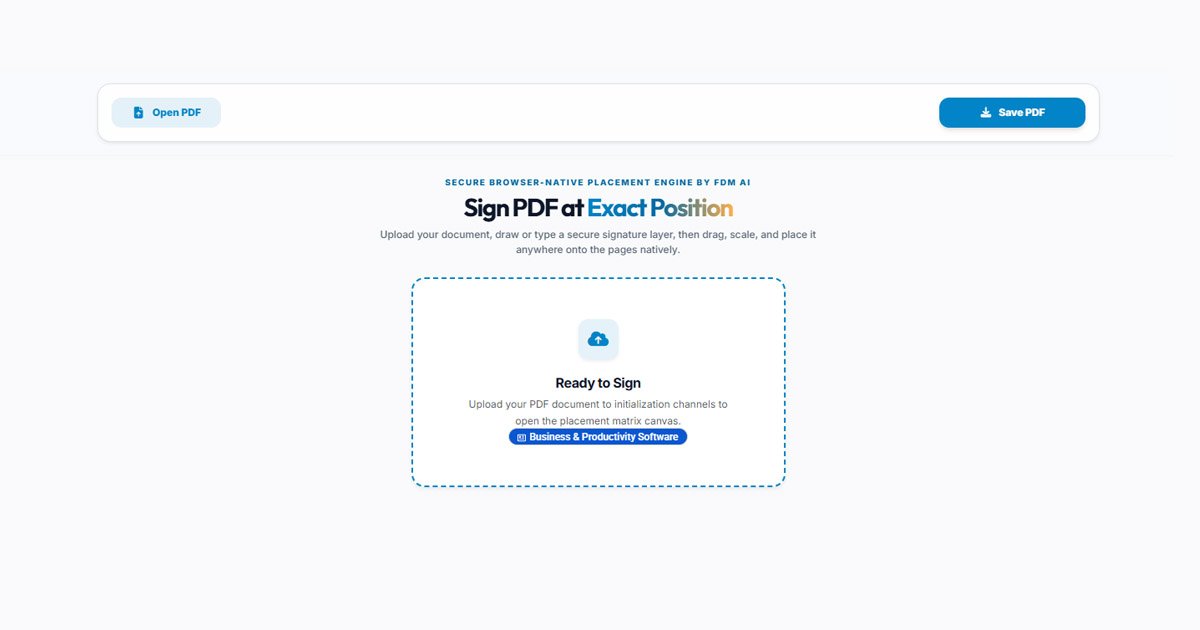
Ready to Sign

Upload your PDF document to initialization channels to open the placement matrix canvas.

Illustration of FDM AI PDF Signer processing structural document layers, allowing exact signature placement, drag-and-drop scaling, and cryptographic browser-local output
Interactive demonstration dashboard of FDM AI PDF Signer executing document page rendering, signature vector layout scaling, and pixel-perfect positioning.
Fabric Canvas Pipeline • 100% Free

The Ultimate AI PDF Signer

The PDF Signer by FDM AI is a high-speed, client-side cryptographic signature workflow engineered to sign PDF files online seamlessly. Generate stylized script names or draw hand-inked vectors directly inside an isolated browser environment, then position, scale, and drop them anywhere onto your document matrix without flattening quality.

  • Pinpoint Coordinate Placement

    Bypass rigid fixed signature blocks. Our hardware-accelerated Fabric layer allows you to place custom signature vectors anywhere on any page with fluid drag, drop, and multi-axis scale adjustments.

  • Dual Signature Rendering Engines

    Choose your style natively. Draw fluid handwritten paths using high-precision tracking inputs, or type your name to instantly compile smooth, transparent kurrent-ink ক্যালিগ্রাফি (calligraphy) text layers.

  • Zero-Distortion Aspect Vector Export

    Never worry about warped contracts. The jsPDF export backend caches the raw point metrics of individual sheets during rendering, baking your annotations directly into the precise layout scale of the source file.

Upload PDF & Sign Now Client-side document compiler, transparent image embedding, and zero-trust sandbox privacy — 100% free with no tracking logs.

FDM AI PDF Signer provides secure, zero-latency electronic signature workflow environments engineered for digital agencies and creators requiring professional document signing capabilities. Instantly adjust signature boundaries and map transparent configurations safely within an isolated browser session.

Unified Workspace Integration

Unlock the Complete FDM AI PDF Suite

Streamline your document operations under a single decentralized hub. Transition effortlessly beyond basic signing pipelines—Create standalone layouts from scratch, Edit structural text annotations, and Convert cross-platform office records entirely inside local sandbox containers safely.

100% Free Creation
Deep Text Editing
Lossless Conversion

Ready to orchestrate your files?

Access over 15+ dedicated high-performance PDF processing tools natively.

Launch PDF Suite Terminal
3-Step Secure Signing Process

How the FDM AI PDF Signer Works

Configure secure signature structures, scale placement matrices, and download signed contracts inside three rapid, client-side phases.

  1. Open Target PDF

    Select any PDF contract from your device. Drag & drop inside the drophub frame window or browse via native upload to initialize layers locally.

  2. Position Signatures

    Draw your signature or type your name to generate ink scripts. Drag, rotate, and scale the bounding layer onto exact document coordinates.

  3. Compile & Save PDF

    Trigger the local jsPDF compiler to merge your vector annotations into a securely packaged document without formatting corruption.

Matrix Architecture

Supported Components & Capabilities

Engineered with the fdmGTP Engine for secure, browser-native client-side canvas synchronization.

Typed Name Script
Scale Isolated

Generates stylized cursive signature layers mapping custom handwriting font presets into high-contrast transparent blocks.

Hand-Drawn Ink
Scale Isolated

Normalizes mouse brush stroke or handheld screen touch coordinates into clear vector asset traces with no line pixelation.

PDF Vector Canvas
Scale Isolated

Locks underlying document text structures, preventing formatting breakages, layout shifting, or font distortion loops.

Layout Frameworks

Standard Document Dimensions & Presets

Pre-configured cross-platform parameters optimized inside the FDM AI browser template rendering workspace.

Global Standard

A4 Page Layout

210 × 297 mm ($595 \times 842$ pt). Globally recognized matrix format optimal for academic papers, corporate contracts, and formal documentation.

ISO 216 Standard
North America

US Letter Size

8.5 × 11.0 in ($612 \times 792$ pt). The primary layout architecture specified for legal business correspondence, marketing portfolios, and general office prints.

ANSI/ASME Size A
Compliance Docs

US Legal Format

8.5 × 14.0 in ($612 \times 1008$ pt). Elongated physical bounding grid dimensioned explicitly to map real estate actions, affidavits, and notary agreements.

Extended Legal Canvas
Media Publishing

A5 Booklet Size

148 × 210 mm ($420 \times 595$ pt). Half-size canvas allocation engineered cleanly for product catalog structures, event pamphlets, and technical manuals.

Compact Print Optimization
Knowledge Base

Frequently Asked Questions — AI PDF Signer

Find clear answers about FDM AI’s secure document signing framework — how to safely position cryptographic ink layers, apply text scripts, and protect your data privacy.

  • Q

    What is FDM AI’s PDF Signer?

    It is a browser-native, client-side free electronic signature platform engineered to stamp authorization indicators directly onto files. Hand-draw vector lines or convert your name to stylized text strings smoothly without remote database logging.

  • Q

    Is the PDF signing process entirely free?

    Yes, it is 100% free with no account creation or hidden barriers. You can compile multiple document variants, position signatures dynamically on any canvas page, and download clean files with zero watermarks.

  • Q

    Will adding my signature warp or distort the original layout?

    No. The engine extracts and preserves native physical point boundaries (A4, Letter, or Legal layouts) during initialization. The jsPDF compiler mounts annotations exactly where you place them without corrupting base dimensions.

  • Q

    Why do the document rendering channels remain sharp on all screens?

    FDM AI implements a structural Device Pixel Ratio (DPR) hardware calibration. This automatically upscales viewport background matrices on Retina and high-density mobile screens to neutralize blurred lines or pixelation.

  • Q

    How secure are my uploaded contracts and sensitive business files?

    Security is our baseline metric. Because our platform relies entirely on isolated browser runtime scripts, document payloads are processed exclusively inside temporary memory buffers. Your data never touches any web server.

  • Q

    Can I sign documents comfortably on touch screen mobile viewports?

    Absolutely. The signature module incorporates native touch-event listening hooks. You can draw your sign with your finger or stylus on smartphones and tablets smoothly, without triggering unintended page scrolling behaviors.

  • Q

    What file extensions can I upload to the workspace?

    The primary upload channel accepts binary application/pdf data streams. For signature rendering fallback tests or modal processing targets, the sandbox can handle standard vector matrices cleanly.

  • Q

    Can I position my signature on multiple different pages?

    Yes. The interactive workspace renders every page of your PDF file as a standalone target canvas. You can select any specific page context area to drop, rotate, resize, and bake your signature block exactly where needed.