When managing digital paperwork, you often encounter situations where standard page dimensions or layouts simply do not match your exact formatting requirements. Whether you need to convert an official layout from an A4 paper size to a US Letter format, optimize your margins for professional printing, or adjust document boundaries for strict academic or corporate submission guidelines, formatting is key. Historically, solving these formatting roadblocks meant downloading heavy, bloated desktop software, purchasing expensive paid subscriptions, or dealing with confusing user interfaces.
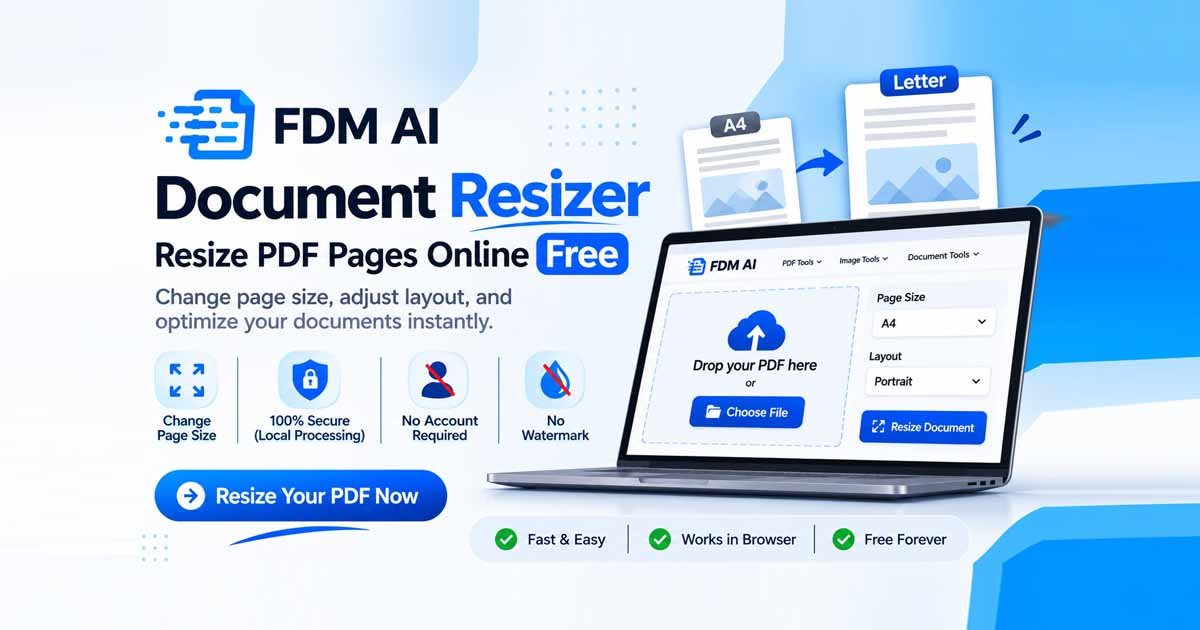
The modern, friction-free alternative is a reliable AI Document Resizer. Powered by the robust fdmGTP core engine, the FDM AI platform allows you to scale page dimensions, adjust document structures, and optimize files directly inside your web browser. Completely free, registration-free, and watermark-free, it redefines how everyday users and professionals handle digital files.
How to Resize PDF Pages Online (Step-by-Step)
Using a Free PDF Page Resizer should never feel like a complicated technical chore. FDM AI has streamlined the layout adjustment workflow into a few intuitive steps:
Access the Tool: Open your preferred web browser and navigate directly to the FDM AI Document Resizer Online workspace.
Upload Your File: Drag and drop your target PDF or document file directly into the upload box, or click to browse files from your local device storage.
Select Your Target Dimensions: Choose your desired format requirements, such as standard A4, Letter, Legal, or custom page dimensions.
Process & Download: Hit the execution button to process your file instantly. Once completed, download your newly adjusted document right to your device.
Supported Paper Sizes (A4, A3, Letter, Legal)
Different regions, publishing houses, and government entities adhere to strict printing and document standards. Our Change PDF Page Size utility supports multiple universal paper configurations to ensure your files look professional anywhere in the world:
A4 Size: The global standard for everyday office reports, business proposals, applications, and professional resumes.
Letter Size: The primary corporate and academic document standard utilized extensively across North America and international enterprises.
Legal Size: Essential for formal legal contracts, court filings, agreements, and lengthy administrative schedules.
A3 & Custom Dimensions: Perfect for scaling large charts, engineering schematics, creative layouts, and custom-tailored presentation documents.
PDF Resizer vs Traditional PDF Software
To understand why web-native productivity hubs are replacing legacy desktop applications, review the comparison below:
Feature & Capability | Traditional Desktop Software | FDM AI Document Resizer |
Software Installation | Heavy downloads, storage usage | Zero installation required (Browser-based) |
Accounts & Logins | Mandatory sign-ups & monthly fees | No account, registration, or logins needed |
Data Privacy | Files uploaded to external clouds | Secure local browser sandbox processing |
Watermarks | Free tiers inject ugly branding | 100% free with zero watermarks |
Common Document Resizing Problems Solved
When attempting to alter document dimensions independently, users frequently encounter recurring obstacles:
Layout Distortion: Shifting page parameters often causes text blocks, tables, and embedded graphics to clip, overlap, or misalign.
Quality Degradation: Poorly coded compressors or conversion apps frequently turn sharp text into blurry, pixelated imagery.
Privacy Vulnerabilities: Uploading sensitive financial records, legal agreements, or private resumes to untrusted third-party servers invites data leaks.
Paywall Barriers: Many online tools allow free uploads only to lock the final download behind a sudden subscription fee or credit purchase.
FDM AI’s specialized AI Document Resizer utility, along with its built-in A4 to Letter PDF Converter, eliminates these exact pain points through secure, local execution.
Benefits of Browser-Based Resizing
Leveraging client-side web technologies provides distinct technical advantages:
Uncompromised Privacy: Because files process locally using your browser’s memory sandbox, your sensitive paperwork never travels to a remote server database.
Lightning-Fast Execution: Eliminating server upload queues and network latency means your files are formatted instantly.
Cross-Platform Compatibility: Whether you are using Windows, macOS, Linux, iOS, or Android, the tool runs seamlessly inside any modern web browser.
Explore Related FDM Tools & Utilities
Streamline your complete document management pipeline by leveraging our complementary free utilities:
Need to tweak text or rearrange pages? Use the professional PDF Editor.
Struggling with oversized attachments? Reduce heavy file sizes using the PDF Compressor.
Switching document types? Convert formats effortlessly with our PDF to Word converter.
Optimize graphical elements using our dedicated Image Resizer tools.
Handle cross-format file changes instantly via the primary Document Converter suite.
Frequently Asked Questions (FAQ)
1. Is the AI Document Resizer tool completely free?
Yes, FDM AI provides this advanced AI Document Resizer 100% free of charge, with no hidden costs, subscriptions, or credit systems required.
2. Will my resized PDF files contain watermarks?
No. All files processed through FDM AI remain completely clean and watermark-free.
3. Do I need an active internet connection to resize files?
An internet connection loads the web interface, but core file execution occurs securely inside your local browser memory.
4. Can I easily convert A4 documents to US Letter size?
Yes. You can quickly switch page parameters using our built-in formatting presets, such as the A4 to Letter PDF Converter option.