(FreeDocumentMaker.com) — Creating professional documents once required multiple applications. Users typically wrote content in one tool, formatted it in another, and finally exported the file as a PDF. Artificial intelligence has simplified that workflow forever.
Today, a high-performance AI PDF generator can automatically structure documents, format content, and export professional PDF files within seconds. This shifts the focus from manual labor to pure creativity.
Platforms like Free Document Maker (FDM AI) allow users to generate documents, convert files, and download PDFs instantly. Everything happens directly in your browser without installing software or creating an account, ensuring your data remains private and local.
What Is an AI PDF Generator?
An AI PDF generator uses artificial intelligence to automatically create structured documents and export them as industry-standard PDF files. Instead of manually adjusting layouts, fonts, spacing, and formatting, AI systems organize the content automatically and generate a professional layout that is ready for client delivery.
By utilizing a free AI PDF generator, users can produce professional-grade paperwork daily, including:
Invoices and Receipts
Professional Certificates
Business Quotes and Proposals
Project Reports and Meeting Notes
Legal Agreements and NDAs
Once generated, these documents are processed locally and can be downloaded instantly as clean, high-resolution PDF files.
Why PDF Is the Universal 2026 Document Standard
Despite the rise of interactive web-based files, PDF remains the global standard for sharing professional business documents. Using an AI PDF generator ensures your output adheres to these essential benefits:
Consistent Formatting: Documents appear exactly the same across all devices, from mobile phones to desktop workstations.
Secure File Sharing: PDF files are the preferred choice for finalized documents because they preserve content integrity and are less likely to be edited accidentally.
Professional Presentation: Businesses worldwide rely on the "PDF Look" for invoices, contracts, and official documentation to build trust with clients.
Reliable Printing: PDF files preserve layout, fonts, and spacing perfectly during the printing process.
How to Generate an AI PDF Online with FDM AI
Using Free Document Maker, you can create a professional PDF document in just a few steps. Only you click, it will build, and you never look back.
Step 1 — Select Your Document Tool
Open the platform and choose from over 30 specialized document generators. Popular options include the Invoice Generator, Certificate Maker, and the all-in-one AI Document Writer.
Step 2 — Enter Your Content
Add the required information such as your document title, recipient details, and pricing. The proprietary fdmGTP AI engine automatically formats the document hierarchy and spacing. No design skills are required; the AI handles the aesthetic polish.
Step 3 — Instant PDF Download
Once the document is generated, simply click to download the PDF file. You gain the advantage of browser-based processing, which means your data is never stored on a server. There are no watermarks and no login requirements.
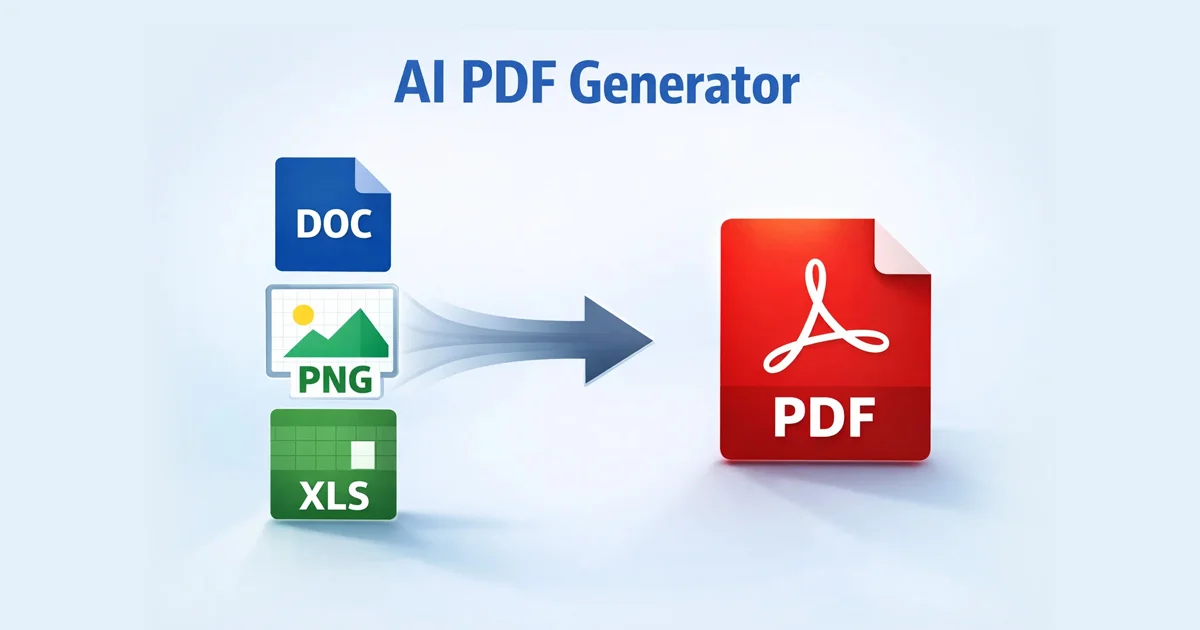
Convert Documents and Files to PDF Instantly
Sometimes you already have content in another format but need to secure it. Free Document Maker acts as a universal file converter, allowing users to transform many file types into PDF instantly through a browser-native interface.
Common conversions supported by our AI PDF generator include:
Word documents to PDF (DOCX to PDF)
Images to PDF (JPG, PNG, WebP)
Spreadsheets to PDF (XLSX to PDF)
Presentations to PDF (PPTX to PDF)
Supported File Formats in the FDM AI Ecosystem
Free Document Maker supports a wide range of file formats. This allows users to upload, generate, and convert files without relying on multiple, expensive tools.
Comprehensive Format Support:
Documents: DOC, DOCX, TXT, ODT, RTF, PDF
Images: PNG, JPG, WebP, SVG, PSD
Spreadsheets & Presentations: XLSX, CSV, ODS, PPTX, ODP
Code & Compressed: HTML, CSS, JSON, ZIP, RAR, 7z
Because of this wide format support, Free Document Maker acts as a central workspace for document generation and file conversion.
Why Choose FDM AI as Your AI PDF Generator?
Most free tools online limit your downloads or force intrusive watermarks onto your professional work. Free Document Maker focuses on simplicity, privacy, and total accessibility.
Key advantages of our platform include:
Fully Browser-Based: Your files are processed locally on your device.
Privacy-First Architecture: No registration or sign-up is ever required.
Professional Quality: No watermarks on any generated or converted PDF.
High Speed: Powered by the fdmGTP engine for near-instant results.
The platform currently offers 30+ free tools for document generation and file conversion, making it the most robust AI PDF generator available for free online.
Final Thoughts
AI-powered document generation and PDF conversion are transforming how digital assets are created. Instead of using multiple applications for writing and formatting, modern platforms combine everything into one streamlined, secure workflow.
Free Document Maker (FDM AI) allows anyone to generate professional documents, convert files, and download ready-to-use PDFs instantly. Only you click, it will build, you never look back.
Start Building Now:👉 AI Document Writer👉 Document Reader & Analyzer
No signup. No tracking. 100% free.