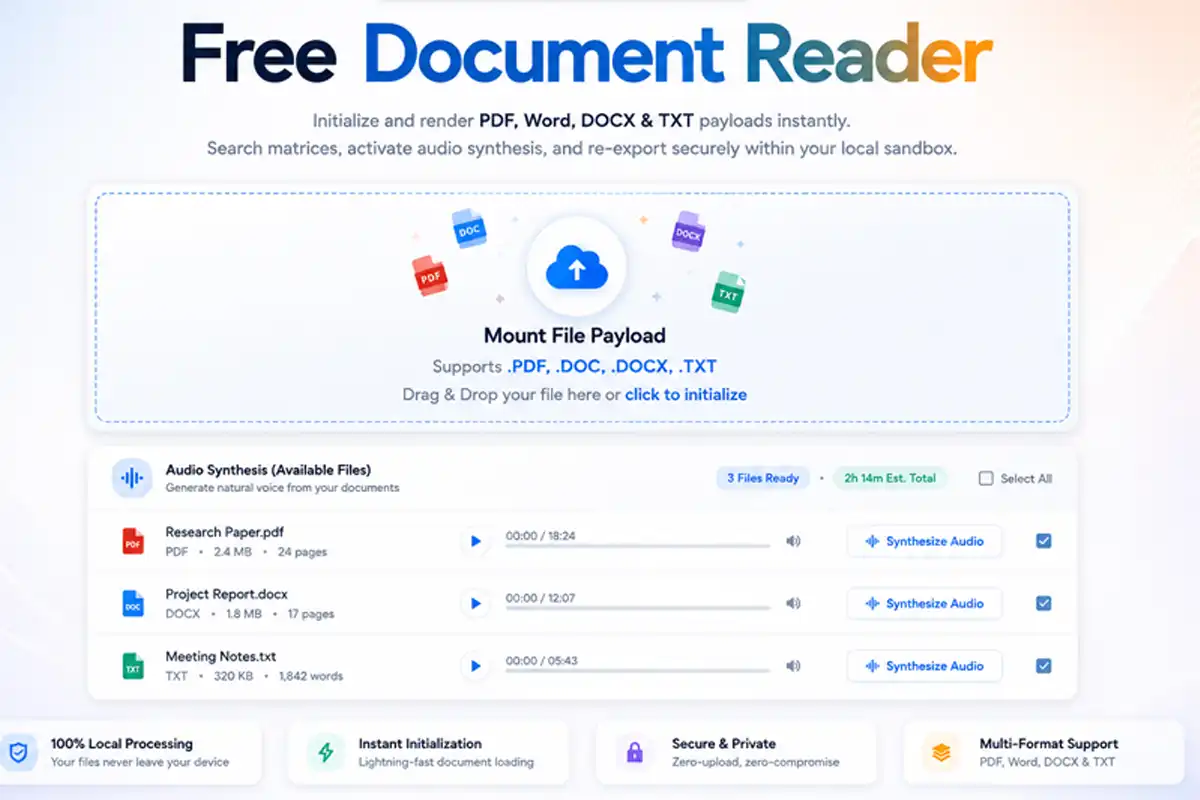
Initialize and render PDF, Word, DOCX & TXT payloads instantly. Search matrices, activate audio synthesis, and re-export securely within your local sandbox.
Mount File Payload
Supports .PDF, .DOC, .DOCX, .TXT
Drag & Drop or click to initialize
Parsing Document Matrix
Extracting client-side vectors via fdmGTP engine...
FDM AI Document Reader interface showing secure local processing for PDF and Word files.
Architecture Grid
High-Fidelity PDF, Word & Text Viewing — No Login Required
Experience the programmatic velocity of the fdmGTP core model. Securely compile and read PDF, DOCX, DOC, and TXT streams directly inside your local application cache. Our browser-native rendering logic keeps your private string matrix isolated on your hardware layer while deploying high-speed query indexing.
Privacy-First Isolation Shell: Local execution blocks powered by fdmGTP; file data sequences never traverse external cloud endpoints.
Regex Query Highlighting: Trace core phrases and keywords instantly across dense text spaces via integrated in-browser tracking arrays.
Native Text-to-Speech Synthesis: Convert your document array variables into immediate high-fidelity voice frequencies for programmatic audio streaming.
FDM AI provides a professional browser-native document reader to view PDF, Word (DOC/DOCX), and TXT files instantly. Powered by the fdmGTP engine, this privacy-first tool allows for secure search, AI text-to-speech, and watermark-free exports. No signup or software installation required.
Technical FAQ
Frequently Asked Questions – Browser-Native AI Reader
Everything you need to know about the fdmGTP-powered local document rendering and client-side compilation pipelines.
Q:What makes the Browser-Native AI Document Reader different?
Our workspace utilizes the proprietary fdmGTP logic shell to execute formatting vectors entirely inside your browser instance. Unlike traditional cloud platforms, it maps data arrays without account creation paths, remote cache tracking, or server-side lag bottlenecks.
Q:Do I need to install software to read PDF or Word files?
No secondary applications or standalone browser extensions are required. This serverless configuration runs completely via standard runtime viewports, completely eliminating storage footprint expansion, device space consumption, or configuration bloat.
Q:Which file formats does the fdmGTP engine support?
The engine compiles file matrices including PDF, DOCX, DOC, TXT, ODT, and RTF extensions. It uses local validation constraints to protect font scale variables, bounding matrix dimensions, and page grid alignments perfectly.
Q:How does the Smart Search feature work?
The integrated context engine tracks exact character chains across deep file structures in real-time. This lets developers and legal professionals locate technical boundaries or keyword clusters across multi-page files with immediate visual markers.
Q:Is there an AI Text-to-Speech option for reading?
Absolutely. The workbench accesses browser audio synthesis pipelines to transcode written characters into fluid audio streams. It offers granular navigation keys (Play, Pause, Break) to optimize multi-tasking performance.
Q:Can I extract text or export files from the reader?
Yes. You can copy the entire extracted byte buffer to your clipboard in a single step or trigger a clean local re-export to uncompressed TXT or PDF layouts without adding promotional overlays or watermarks.
Q:Is my data safe with the Browser-Native AI Document Reader?
Completely safe. All document parsing operates strictly inside your browser sandbox memory stack. File bytes are never transmitted to external databases or network storage clusters, and everything is permanently cleared the instant the browser instance closes.
Q:Is there a cost to use the FDM AI Document Reader?
The application is 100% free for infinite recursive deployments. We maintain a pure utility environment with no signup gates or hidden payload caps to ensure a streamlined, distraction-free professional workflow.
Execution Matrix
How to Use the Browser-Native AI Reader
Experience high-speed, fdmGTP-powered document processing inside three absolute parameters—no logins, no software installs, and 100% data privacy.
1. Sandbox Mount
Drag and drop your PDF, DOCX, DOC, or TXT file into the target drop-zone. The fdmGTP logic shell compiles byte assets safely inside your local memory stack.
2. Array Interaction
Deploy the unified control ribbon to search specific string arrays, copy raw content blocks, or trigger high-fidelity audio synthesis playback rules instantly.
3. Local Re-Export
Download clean TXT files or vector-mapped PDFs without watermarks, or map your active text payload directly onto the integrated core workspace editor.
Workspace Utilities
More Doc Maker Tools On FDM AI Platforms
Beyond the Document Reader, Free Document Maker offers a comprehensive suite of browser-native engines built to automate and optimize professional records safely inside client memory space.
Access FDM AI Natively Across Your Digital Workspaces
Deploy our browser-native ecosystem directly into your operating software frameworks or corporate profiles. Access 30+ standalone translation, conversion, and editing engines instantly without account requirements.
Google Play Android App
Mount the official mobile application framework onto your mobile viewport. Run heavy asset pipelines directly inside your local cache with optimal cross-platform security parameters.
Inject the serverless document tools engine directly into your central cloud drive and productivity workflow. Generate and convert files directly inside your active operational profiles.
Experience a secure, distributed approach to utility management. Deploy our ecosystem of 30+ browser-native tools powered by the fdmGTP engine to generate, convert, and optimize files with absolute privacy.