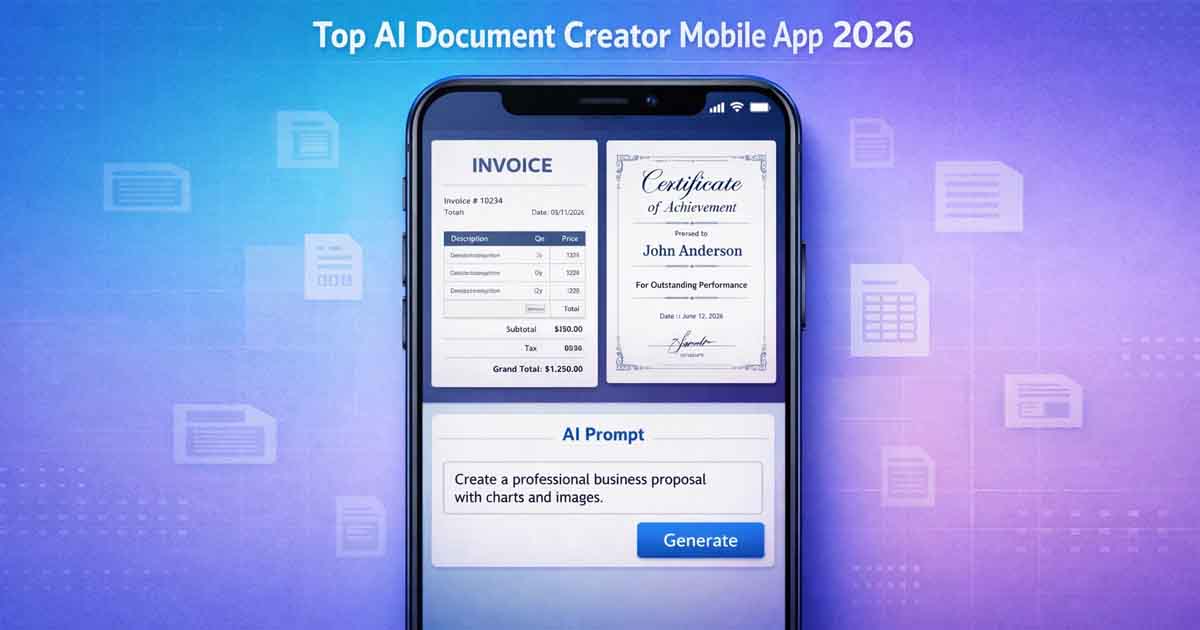
In 2026, creating professional documents is no longer limited to desktop software. Whether you’re drafting contracts, generating invoices, preparing reports, or editing PDFs, the top AI document creator mobile apps now make it possible to complete everything directly from your smartphone.
But here’s the problem:
Most “AI document apps” are not true document creators.
They are either:
AI writing assistants
PDF editors
Presentation builders
Very few combine structured formatting, AI generation, and instant export into one seamless mobile experience.
This guide compares the leading AI document creator mobile apps and explains what truly makes an app worth using.
What Makes a True AI Document Creator Mobile App?
Before comparing apps, let’s define what actually matters.
A real AI document creator should provide:
✔ AI-powered content generation
✔ Structured document formatting (not just raw text)
✔ Ready-to-use templates
✔ PDF export
✔ Mobile-friendly interface
✔ No unnecessary friction
Without structured formatting, AI writing is just text — not a finished document.
Top AI Document Creator Mobile Apps in 2026
Below are some of the most talked-about AI document and productivity apps.
1️⃣ Gamma
Best for: Presentations and visually formatted reports.
Gamma allows users to generate structured slides and documents from prompts. It’s visually impressive and great for pitch decks.
Strengths:
Prompt-to-design workflow
Clean layout output
Limitations:
More presentation-focused
Not ideal for contracts or structured business documents
2️⃣ Bit.ai
Best for: Collaborative document workspace.
Bit.ai integrates AI assistance into team documents and knowledge bases.
Strengths:
Team collaboration
AI-assisted content writing
Limitations:
Not optimized for instant mobile document generation
Heavier interface
3️⃣ PDFelement (iOS / Android)
Best for: PDF editing and AI summarization.
PDFelement integrates AI tools inside PDFs.
Strengths:
Edit and annotate PDFs
AI-powered summarization
Limitations:
Not built for structured document generation from scratch
4️⃣ Foxit PDF Editor (Mobile)
Best for: Business-level PDF workflows.
Strengths:
Advanced PDF editing
Annotation and AI assistance
Limitations:
Complex for casual users
Focused on editing, not generation
5️⃣ AI Writing Apps (ChatGPT, Gemini, Claude)
Best for: Drafting and rewriting content.
Strengths:
High-quality AI text generation
Flexible prompts
Limitations:
No structured formatting
No built-in document templates
Requires separate export tools
AI writing apps generate content — but they don’t build finished documents.
Comparison Table — AI Document Creator Apps
App | AI Writing | Structured Templates | PDF Export | Free Access | Best For |
|---|---|---|---|---|---|
Gamma | ✔ | Limited | ✔ | Partial | Presentations |
✔ | Limited | ✔ | Limited | Teams | |
PDFelement | Limited | ❌ | ✔ | Limited | PDF Editing |
Foxit | Limited | ❌ | ✔ | Limited | Business PDFs |
AI Writing Apps | ✔ | ❌ | ❌ | Partial | Drafting |
Free Document Maker | ✔ | ✔ | ✔ | ✔ | Structured Docs |
This highlights the key difference:
Many apps generate text. Few generate finished documents.
Why Most AI Writing Apps Are Not Real Document Creators
There is an important distinction between:
AI text generation
and
AI document creation
AI writing tools:
Produce paragraphs
Rewrite text
Summarize content
AI document creators:
Structure headings
Format layouts
Generate invoices
Build certificates
Prepare ready-to-export PDFs
That structural layer is what separates productivity tools from writing assistants.
Free Document Maker — A Structured AI Document Creator
The Free Document Maker mobile app is designed to combine AI generation with structured document formatting.
Google Play link:
https://play.google.com/store/apps/details?id=com.freedocumentmaker.www.twa
Unlike simple writing apps, it focuses on:
Structured document templates
Invoice generation
Certificate creation
Agreements and letters
Instant PDF export
No login required
No watermark
Instead of just generating text, it builds the full document.
Real Use Cases for Mobile AI Document Creation
Freelancers:
Generate invoices on the go.
Students:
Create formatted reports quickly.
Entrepreneurs:
Draft agreements without desktop software.
Small businesses:
Issue receipts instantly.
Mobile-first productivity is no longer optional — it’s expected.
Key Features to Look for in 2026
If you are choosing a top AI document creator mobile app, check for:
Structured formatting
Ready-to-use templates
Fast generation
Clean interface
Reliable export
Practical use cases
AI alone is not enough — structure is everything.
Frequently Asked Questions
What is the best AI document creator mobile app?
The best AI document creator app combines AI writing, structured templates, and PDF export in a mobile-friendly interface.
Is there a free AI document generator app?
Yes, some apps offer free AI document generation. Look for tools that provide structured templates without forcing subscription barriers.
Can AI create professional PDFs on mobile?
Yes. AI-powered apps can generate formatted content and export it as professional PDFs directly from your phone.
What is the difference between AI writing apps and AI document creator apps?
AI writing apps generate text.
AI document creator apps generate structured, formatted documents ready for export.
Do AI document apps require login?
Some do. Others allow no-login access for faster productivity.
Final Thoughts
The top AI document creator mobile app in 2026 is not just about writing content — it’s about creating complete, structured, export-ready documents.
While apps like Gamma, Bit.ai, PDFelement, and AI writing assistants each offer valuable features, a balanced solution combines:
AI generation
Structured formatting
Instant mobile usability
Practical document templates
Mobile productivity is evolving — and structured AI document creation is becoming the standard.