Free Online OCR Converter

Image to Word Studio

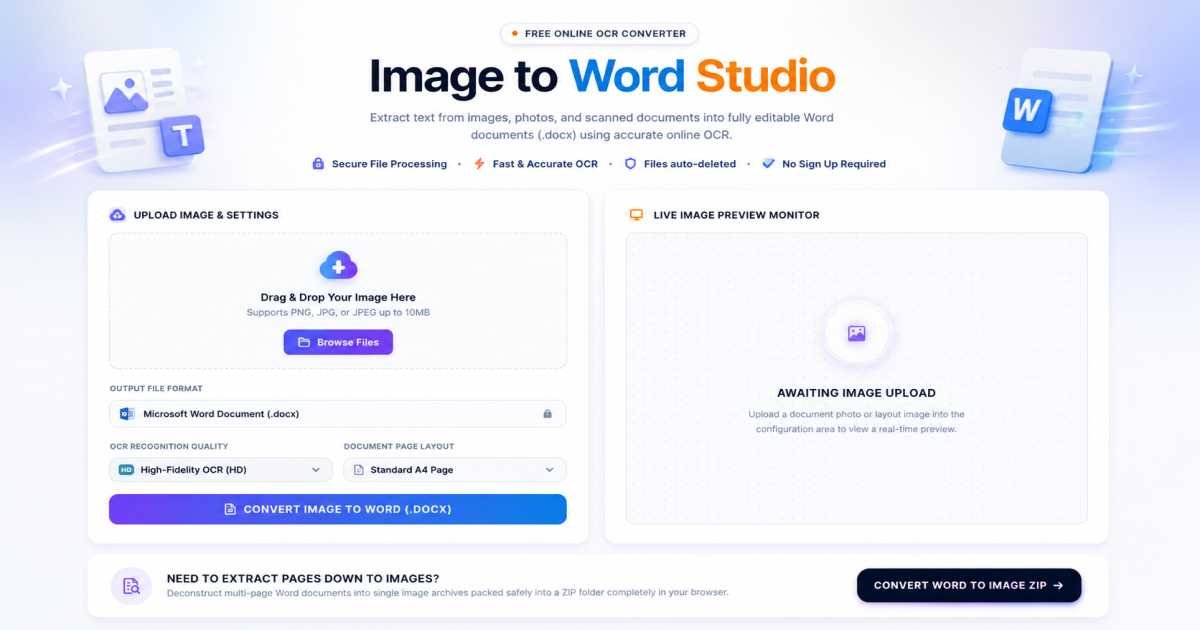
Extract text from images, photos, and scanned documents into fully editable Word documents (.docx) using accurate online OCR. Secure File Processing. Files are deleted automatically after conversion.

Upload Image & Settings

Drag & Drop Your Image Here

Supports PNG, JPG, or JPEG up to 10MB

Live Image Preview Monitor

Awaiting Image Upload

Upload a document photo or layout image into the configuration area to view a real-time preview.

Need to Extract Pages down to Images?

Deconstruct multi-page Word documents into single image archives packed safely into a ZIP folder completely in your browser.

Convert Word to Image ZIP
Powered by FDM AI

Why Use Our Image to Word Converter?

Engineered with high-throughput browser OCR processing, our local file sandbox completely revolutionizes how you extract printed or handwritten text and convert images into fully editable document formats.

100% Data Privacy

Your files never leave your computer. This architecture runs entirely inside your browser's isolated local sandbox, eliminating database storage, caching risks, and external server uploads entirely when you convert Image to Word.

Blazing Fast Speeds

Bypass network queues and upload restrictions. Our advanced client-side recognition engine utilizes your local device hardware to scan text nodes or convert JPG to Word layouts instantly.

Zero File Size Limits

Process as many digital image assets as your machine can allocate. Enjoy a completely Image to Word free pipeline containing no restricted access bars, no payload throttling, and no hidden subscriptions.

No Account Barriers

Eliminate mandatory landing blocks, newsletter captures, and email configuration loops. Open the workspace, load your image stack, and instantly execute your compilation cleanly.

Automating Document Recognition via Local FDM AI Architectures

Our client-isolated utility map includes an advanced Image to Word free suite with instant high-speed JPG to DOCX processing options to extract text parameters and file formats securely.

How-To Guide

How to Convert Image to Word — Step-by-Step Guide

Follow this simple workflow to extract text layers and transform your image files into editable Word documents using the FDM AI workspace.

FDM AI workflow visualization
1

Queue Your Source Image Matrix

Drag and drop your target photos or scanned image files directly into the dashed upload drop area, or tap the interface to trigger your local file picker. Our system reads standard web formats to process Image to Word conversions smoothly.

2

Verify OCR Language Configurations

Ensure our optical character recognition engine matches your graphic data parameters. Selecting the accurate text language within the workspace optimizes character extraction precision and preserves native typography boundaries inside the output structure.

3

Extract Text and Generate Document Map

Once files are staged, click the "Convert Image to Word" button. This runs an isolated client-side OCR thread that reads pixel groupings, separates linguistic vectors from backgrounds, and outputs a freshly formatted document skeleton dynamically.

4

Securely Download Your Editable File

When the scanning layout reaches 100% completion, your newly formed file structure is complete. Click the "Download Word Document" button to fetch your editable, structured DOCX asset directly to your system storage drive.

Frequently Asked Questions

Learn why FDM AI is the preferred choice to convert Image to Word files securely and fast.

Are my private files safe with this Image to Word converter?

Yes. FDM AI utilizes client-side local extraction algorithms to convert Image to Word safely. Your uploaded image nodes never travel to external cloud clusters, ensuring ironclad data confidentiality.

Can I combine text from multiple images into one Word file?

Absolutely. Our layout manager compiles text fragments from multiple source images sequentially, generating a clean, single multi-page DOCX output file effortlessly.

Is this JPG to DOCX extraction utility mobile-friendly?

Yes, our browser workspace is completely adaptive. You can photograph text directly on your smartphone and instantly convert JPG to Word templates without any third-party software overhead.

Will the OCR engine accurately process handwritten text patterns?

Our local AI text parser yields premium results on clear, structured handwriting. However, clear digital print structures or high-contrast scanned files achieve the highest parsing matrix precision.

Is this Image to Word free tool restricted by a paywall?

No, we host a completely Image to Word free solution. There are no credit systems, forced subscriptions, or daily limits imposed on your document transcription tasks.

What image graphic configurations does the parser accept?

We support a robust spectrum of formats to convert JPG to Word, including standard JPEG, PNG, high-resolution TIFF, and optimized WebP configurations.

Do I need separate OCR software installed to extract text elements?

No installations are necessary. FDM AI features built-in native scripts that isolate and decode text layers right inside your local web sandbox environment seamlessly.

Why is client-side processing faster than standard cloud compilation?

By bypassing massive upload queues and eliminating data routing lags, our text rendering core works directly with your hardware to turn Image to Word assets around near-instantly.

Deep-Dive Technical Insights

Discover the engineering precision behind our secure, browser-based Image to Word conversion technology.

Raster Matrix to XML Mapping

Images exist as raw, unmapped raster pixel clusters, while editable DOCX files require structured, zip-archived XML schemas. Our conversion pipeline analyzes visual coordinate spaces, isolates geometric bounds, and maps raw text clusters into fluid, semantic document layers.

Optical Character Recognition

Standard converters often scramble layout blocks and font hierarchies. Our built-in OCR processing engine runs text-line extraction and baseline analysis metrics simultaneously, meticulously preserving font variations, margins, and data table layouts without breaking paragraph streams.

Local Client-Side OCR Sandbox

By compiling complex optical character recognition and document serialization frameworks directly within modern JavaScript engines, we completely eliminate data exposure. Your heavy image binaries are decoded and transformed into Word files locally, delivering zero lag and absolute security.

Why our Image to Word tool is the fastest and most secure

Our tool uses client-side OCR rendering to convert JPG to Word instantly without cloud uploads, offering superior data privacy, strict layout formatting preservation, and instant document generation compared to traditional online converters.

⚡ Local Sandbox Processing

Ready to Turn Your Images Into Editable Word Files?

Experience the power of ultra-secure, client-side OCR. Extract text nodes instantly from your JPG, PNG, or WebP images right inside your browser without any cloud uploads.

Convert JPG to Word Online Securely

Navigate to our home workspace, explore our complete document processing toolkit at /tools, or read our optical character recognition optimization guides over at our /blogs library.