Local Hardware Engine Active • Do not close frame
Zero-Server High-Contrast PDF Rescaler

Smart PDF Resolution Enhancer

Upscale blurred documents, wipe background scanning noise, and crisp up faded tracking elements with local hardware rendering.

Drop target document here or click to browse

Processes file inputs safely entirely inside your active memory

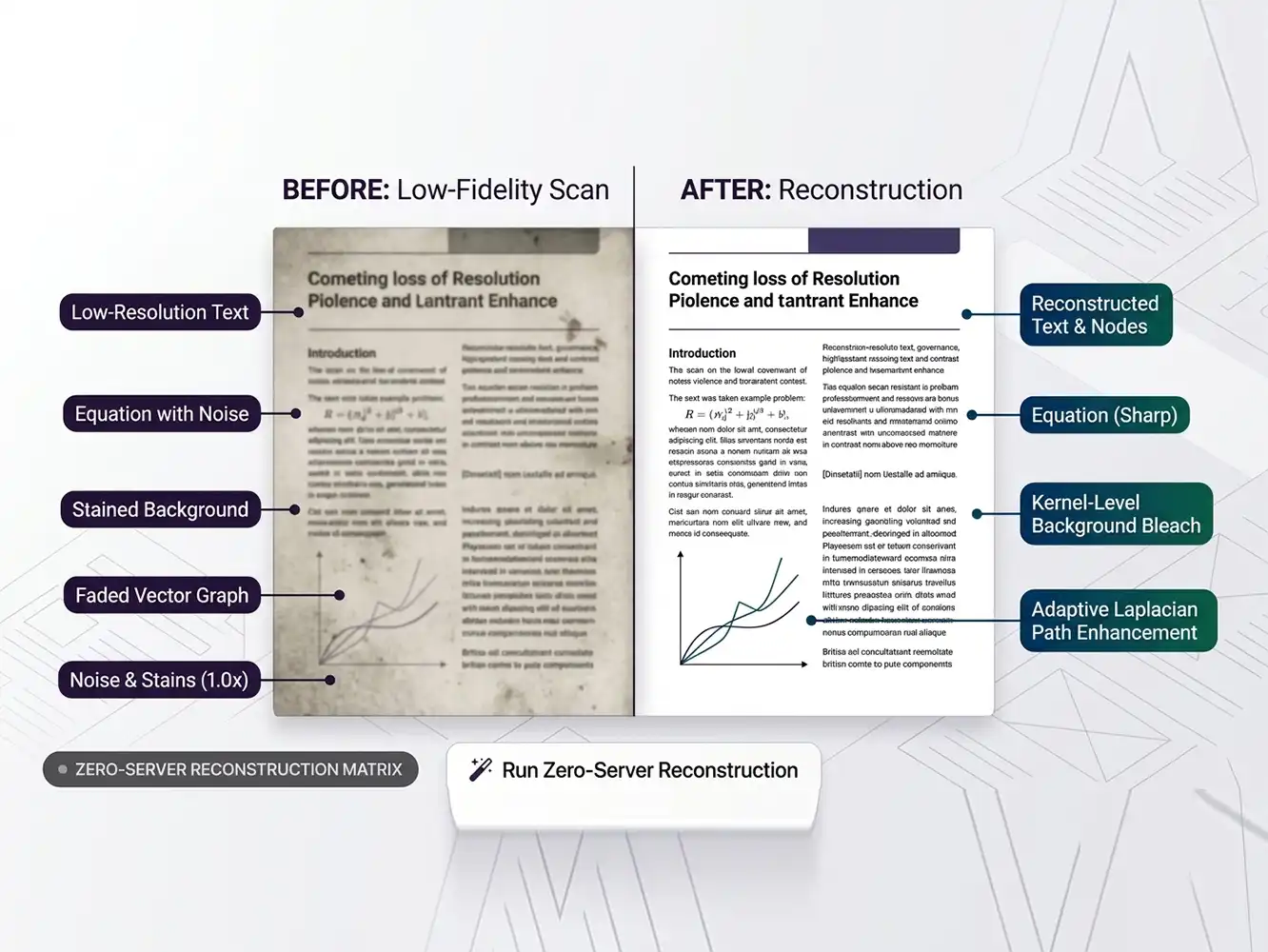
Illustration showing FDM AI interface cleaning scanned PDF documents, stretching contrast, removing noise, and upscaling to high-DPI text grids
Visual showing how Free Document Maker seamlessly upscales blurry, low-resolution scanned PDF pages into crisp, high-contrast document outputs.
DPI Rescaling Protocol

Why Use FDM AI's Smart PDF Enhancer?

Struggling with blurry document scans, low-contrast photocopies, or faded tracking elements? Our client-side rendering engine deconstructs raw PDF layers, applying a high-performance Laplacian matrix to reconstruct lost details and maximize print legibility instantly.

  • High-DPI Vector Rescaling

    Upscale document canvases up to 3.0x layout density. Perfect for turning low-resolution text payloads into razor-sharp, print-ready sheets without breaking layout grids.

  • Adaptive Bleach & Contrast

    Wipe away dark shadows, smartphone camera glare, and scan stains. Stretch your document's pixel intensity to separate text elements from muddy background noise.

  • Zero-Server Hardware Privacy

    Your highly classified receipts, contracts, and IDs never leave your device. All calculations occur inside your browser memory frame. No telemetry, no watermarks, no limits.

Use Free Document Maker’s Smart PDF Enhancer to clean up document images, remove scan artifacts, and increase text contrast locally. Enjoy absolute privacy with deep pixel processing and crystal-clear output without any software watermarks.

3-Step Enhancement Pipeline

How FDM AI’s Smart PDF Enhancer Works

Ingest low-resolution files, tweak adaptive mathematical threshold filters, and compile an upscaled, high-DPI document directly inside your local sandbox.

  1. Ingest Document Frame

    Select or drop your blurred document into the sandbox dropzone. The core structures the layout matrix boundaries inside temporary browser memory layers.

  2. Calibrate Matrix Array

    Toggle the adaptive greyscale mode, set high-DPI upscaling coefficients, and adjust threshold controls to bleach background scanning noise perfectly.

  3. Compile Crisp PDF

    Trigger local pixel processing. FDM AI applies a Laplacian matrix on every page node to sharpen faded text paths and outputs an unwatermarked PDF.

Matrix Architecture

Supported Components & Capabilities

Engineered with the fdmGTP Engine for high-density local rasterization and kernel filter arrays.

High-DPI Rescaling

Hi-DPI & Buffer

Upscales native PDF viewports up to 300% (3.0x layout density) inside target HTML5 canvas pipelines before rendering.

Contrast Optimization

All Layer Enabled

Applies progressive contrast stretching math coefficients to distinctly isolate blurred text from background noise layers.

Laplacian Sharpening

Full Matrix Stack

Executes an edge-detection kernel array layout on raw pixel clusters to reconstruct and crisp up faded font tracking elements.

Background Bleaching

Filters & Buffer

Wipes complex scanning artifacts, smartphone camera shadow rings, and gray scale paper textures from target view matrix boundaries.

Enhancement Presets

Optimized Document Clarity Profiles

Pre-configured mathematical filtering models optimized inside the FDM AI core to repair, upscale, and contrast muddy document viewports.

Scan Cleaning

Adaptive Bleach

Wipes out complex smartphone camera shadow rings, yellow tint, and scanning streaks. Maximizes page contrast for zero-latency office reading.

Target Payload: Photocopies
Matrix Sharpening

Laplacian Edge

Executes edge-detection kernel convolutions to reconstruct blurry font structures, tracing and reshaping faint text pixels into high-contrast structures.

Target Payload: Faded Text
Super Resolution

300 DPI Super-Scale

Interpolates document grids up to 3.0x density canvas buffers. Engineered for large-format physical document printouts and presentation slides.

Target Payload: High-DPI Print
Corporate Archives

Bi-Level Threshold

Binarizes the document matrix into absolute high-contrast channels. Compresses background file weight while retaining raw signatures and stamp grids.

Target Payload: Legal Records
Knowledge Base

Frequently Asked Questions — PDF Enhancer

Find clear answers about FDM AI’s Smart PDF Resolution Enhancer framework — how to safely upscale blurred text, remove background noise, and protect your data privacy in 2026.

  • Q

    What is FDM AI’s Smart PDF Resolution Enhancer?

    It is a browser-native, client-side document fidelity restoration utility engineered to rebuild blurry sheets. It mathematically cleans dark scan shadows, sharpens faded text paths, and interpolates canvas DPI configurations entirely inside your browser window without cloud latency.

  • Q

    Is the PDF Resolution Enhancer tool free to use?

    Yes, it is 100% free with no account registration barriers, premium paywalls, or document limits. You can upscale scanned files, rebuild blurry receipts, and download your high-contrast document sheets without watermarks.

  • Q

    How does high-DPI scaling affect the output text sharpness?

    Choosing a higher resolution scale (e.g., 2.0x or 3.0x profiles) triggers our density multiplier array. It expands the internal viewport rendering coordinates, forcing text pixels and vector contours to compile at double or triple the default density, resolving clarity on Retina monitors.

  • Q

    What is Laplacian Matrix Sharpening?

    It is an edge-detection convolution kernel filter. It scans pixel cluster differentials across your document canvas, isolating blurred font edges and multiplying localized sharpness values to recover faded or poorly rasterized letters.

  • Q

    Are my uploaded contracts and invoices protected from leaks?

    Absolutely. Because FDM AI relies exclusively on a zero-server client architecture, your high-priority corporate papers, signatures, and invoices never stream to cloud databases. All calculations occur locally in temporary memory allocations.

  • Q

    How does the background bleach filter improve readability?

    The filter evaluates gray-scale thresholds within the document layout matrix. It targets dark, multi-colored scan background textures, smartphone shadows, and stains, converting them to standard pure white fields while lock-stretching the black text overlays.

  • Q

    Is there a limit on file sizes or page numbers?

    The UI canvas dropzone accommodates initial document size blocks up to 50MB effortlessly. Since computing loops leverage your local machine RAM capacity, processing speeds scale responsively based on your local system architecture metrics.

  • Q

    Does the enhancer support color documents or only grayscale?

    It supports both profiles seamlessly. You can toggle our absolute gray-scale binarization matrix for official monochromatic filing records, or retain full RGB color spaces while upscaling blurry images and text blocks.