Convert WebP to JPG, PNG & More – Free Online Converter
WebP is a modern image format developed by Google to improve web performance by reducing file size while maintaining high visual quality. Compared to traditional formats like JPG or PNG, WebP uses advanced compression techniques that allow websites to load faster and consume less bandwidth.
However, despite its benefits, WebP is not universally supported across all software, operating systems, and editing tools. Many older applications, offline viewers, and image editors still cannot open WebP files properly.
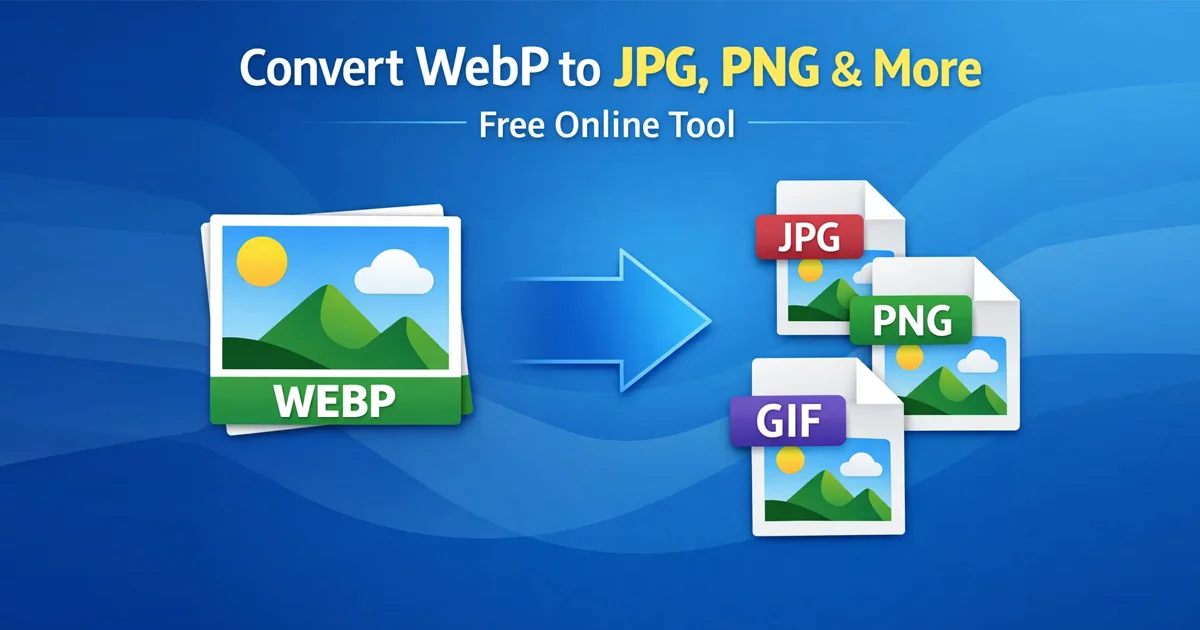
If you encounter an “Unsupported File Format” error, Free Document Maker (FDM AI) provides a fast and simple WebP to Image Converter that runs directly in your browser. No installations, no accounts, and no complicated steps — just upload your file and convert it instantly.
Understanding the WebP Image Format
The WebP format was introduced by Google in 2010 as part of its effort to create faster and more efficient web technologies. WebP supports both lossy and lossless compression, meaning images can maintain high quality while significantly reducing file size.
WebP also supports advanced features such as:
Transparency (similar to PNG)
Animation (similar to GIF)
High compression efficiency
Improved loading performance for websites
Because of these advantages, WebP is widely used for modern websites, blogs, and web applications that prioritize performance and page speed.
Why Convert WebP Images?
Although WebP works well for websites, it is not always suitable for everyday workflows. Many users still need traditional image formats when working with design software, email platforms, or legacy systems.
You may need to convert WebP images if you experience:
Software incompatibility: Some older versions of Photoshop, Windows photo viewers, or design tools do not support WebP.
Email and social media limitations: Certain platforms cannot generate previews or thumbnails for WebP files.
Design and print requirements: Professional printing and publishing workflows often require JPG, PNG, or TIFF formats.
Transparency and editing needs: Converting to PNG preserves transparency layers used in graphic design.
File sharing compatibility: Many messaging apps and document editors work more reliably with JPG or PNG files.
Converting WebP images into standard formats ensures they can be opened, edited, and shared without compatibility issues.
How to Convert WebP in 3 Easy Steps
Upload your
.webpimage (drag-and-drop supported).Select an output format such as JPG, PNG, GIF, BMP, or TIFF depending on your needs.
Convert and download the image instantly once processing is complete.
The entire conversion process happens directly in the browser, meaning you do not need to install any software or create an account.
Key Features of the WebP Converter
100% free: No subscriptions, no premium restrictions, and no watermarks.
Multiple format support: Convert WebP to JPG, PNG, GIF, BMP, and TIFF.
Privacy-focused: Uploaded images are automatically deleted after 30 minutes.
Cross-device compatibility: Works on Windows, macOS, Linux, iOS, and Android.
Optional controls: Resize images or adjust compression levels before conversion.
Fast processing: Optimized conversion engine ensures quick downloads.
Supported Output Formats
| Format | Best Use Case |
|---|---|
| JPG | Photography, websites, blogs, and social media images |
| PNG | Graphics that require transparent backgrounds |
| GIF | Simple animations and lightweight web graphics |
| BMP | Legacy Windows applications and raw image data |
| TIFF | Professional printing, publishing, and archival storage |
Frequently Asked Questions
Is my data safe?
Yes. Files are processed securely and automatically removed from temporary storage after 30 minutes to protect user privacy.
Will I lose image quality during conversion?
You can choose different compression settings. High-quality mode preserves visual detail, while optimized mode reduces file size for web use.
What is the file size limit?
The current upload limit is 10MB per image, which helps maintain fast and reliable processing.
Can WebP images contain transparency?
Yes. WebP supports alpha transparency similar to PNG, which is why converting WebP to PNG is common when working with design graphics.
Start Converting WebP Images
Convert your WebP images into widely supported formats in seconds.
Try the Free WebP to Image Converter
Explore More Tools
Image to PDF Converter – Combine images into a single document.
Resize Images Online – Quickly adjust dimensions for web and social media.
AI Document Tools – Generate documents using AI automation.
Browse All Tools – Explore more than 30 free productivity tools.