In the digital workspace, managing, editing, and generating documents is a daily necessity. For decades, Adobe Acrobat has been the undisputed heavyweight champion of the PDF world. However, as web technologies evolve and enterprise software costs skyrocket, a new wave of browser-native alternatives is emerging.
Enter Free Document Maker (FDM AI)—a completely free, zero-login, and privacy-focused platform designed to challenge how we think about document processing.
But can a free, browser-based utility really stand up against an enterprise giant that costs upwards of $240+ annually? In this comprehensive 2026 breakdown, we will compare FDM AI vs Adobe Acrobat across pricing, core capabilities, AI integrations, and data privacy to help you choose the ultimate tool for your specific workflow.
1. Architectural Philosophy: Cloud vs. Client-Side Computing
To truly understand the difference between these two platforms, we must look under the hood at how they process your data.
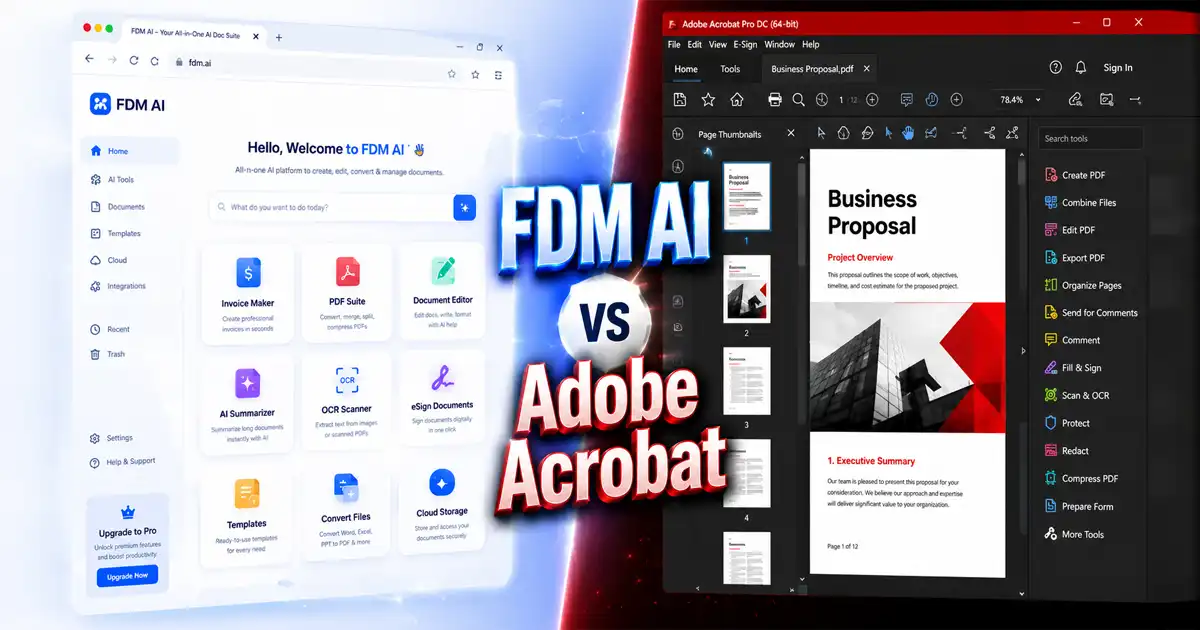
Adobe Acrobat relies on a hybrid desktop and cloud-based architecture. To unlock its full suite of tools, users are typically required to download heavy software packages onto their Windows or Mac machines or sync their local files directly with Adobe Creative Cloud.
Free Document Maker (FDM AI), on the other hand, is a completely browser-native workspace. Powered by the specialized fdmGTP engine, it operates entirely via client-side computing. This means your files never leave your local machine, and all rendering, converting, and script executions happen directly within your browser's runtime memory. There are no heavy installers, no slow cloud syncing, and zero installation footprints.
2. Accessibility & Learning Curve: Zero Experience vs. Complex Training
One of the biggest hurdles with professional document software is the steep learning curve.
Adobe Acrobat: Powerful But Overwhelming
Adobe Acrobat packs an incredible number of professional features, but its interface can be highly intimidating for casual users. Finding specific options like compression, extraction, or encryption often requires navigating through nested menus, deep sidebars, and multi-layered configurations. For individuals without prior experience or formal training, executing a simple task can feel like a chore.
FDM AI: Separated, Single-Purpose Tools with Zero Friction
FDM AI approaches accessibility with a "zero-learning-curve" philosophy. Instead of forcing users into a massive, complicated interface, the platform features a highly organized Free Document Maker's Tools Directory.
Every single function is isolated into its own dedicated, clean micro-tool. Whether you need the FDM AI Document Editor for quick text formatting or the standalone image converter, everything is laid out sequentially and separately.
There are no confusing buttons, hidden settings, or complex toolbars. A complete beginner with absolutely no technical background or design experience can open a tool, upload a file, click one button, and get a production-ready output instantly.
3. Core Capabilities: Deep PDF Editing vs. Instant Asset Generation
When comparing core features, both platforms serve drastically different user mindsets.
Adobe Acrobat: The Precision Editing Machine
If your daily job requires heavy manipulation of pre-existing PDFs, Adobe Acrobat remains the gold standard. It offers pixel-perfect text and image editing directly within static PDF layers. Furthermore, its advanced Optical Character Recognition (OCR) engine is unmatched when it comes to turning flattened, scanned physical documents into fully searchable text matrices. It also provides rich tools for complex form building, certified redactions, and multi-user tracking.
FDM AI: The Frictionless Production Suite
While Adobe Acrobat focuses on modifying existing PDFs, FDM AI is built for instant creation and frictionless conversion.
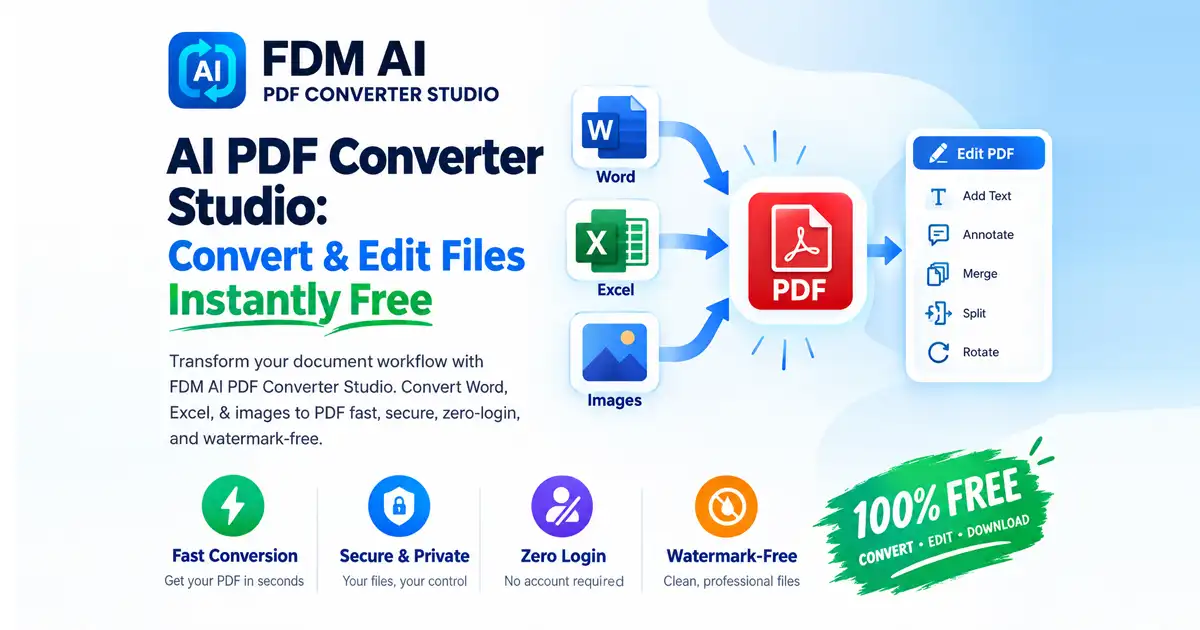
Instead of starting with a blank, intimidating PDF layout, users can open the native FDM AI Document Editor to instantly generate structured business assets, such as professional resumes, legal agreements, credentials, and financial invoices.
Additionally, FDM AI features a highly efficient client-side conversion layer embedded within its comprehensive FDM AI PDF Suite, allowing users to execute tasks like mass Image-to-PDF conversions, WebP image compression, and media formatting seamlessly without waiting for server responses.
4. The AI Showdown: fdmGTP vs. Acrobat AI Assistant
Artificial Intelligence has transformed how we interact with text. Let’s see how these two systems handle generative tasks.
+---------------------------+-----------------------------------+-----------------------------------+
| Feature Matrix            | FDM AI (fdmGTP Core)              | Adobe Acrobat AI Assistant        |
+---------------------------+-----------------------------------+-----------------------------------+
| Primary Focus             | Overcoming Blank-Page Syndrome    | Deep Document Analytics           |
+---------------------------+-----------------------------------+-----------------------------------+
|
FDM AI (fdmGTP)
The integrated fdmGTP engine is optimized for high-speed content generation. If you suffer from "blank-page syndrome," you can feed localized prompts into FDM AI to instantly compile, format, and structure text into production-ready PDF layout blocks natively. It is built for the user who needs an automated writer to build structured templates on the fly without learning advanced prompt engineering.
Adobe Acrobat AI Assistant
Adobe's AI approach is tailored for deep analytical research. The Acrobat AI Assistant allows enterprise teams to ingest massive, bulky data sets. It can analyze up to 100 files simultaneously (with each document spanning up to 600 pages), generate interactive cross-document summaries, provide hyperlinked text citations, and even output intelligent audio summaries for on-the-go professionals.
5. Absolute Privacy and Data Security
In an era of rampant cloud data leaks, data jurisdiction is highly critical.
The Adobe Compliance Model: Adobe Acrobat is designed to meet strict corporate, HR, legal, and financial compliance standards. It provides highly secure cloud spaces, protected enterprise environments, and legally binding digital e-Signatures (Adobe Sign). However, accessing these benefits means your secure files must live on or pass through external servers.
The FDM AI Zero-Trust Model: Because FDM AI runs strictly on the client side, your files never touch an external server. There are no cloud uploads, no database storage tracking, and zero tracking parameters. If you are processing a sensitive client invoice or a personal resume inside the web-basedDocument Editor, your data remains strictly within your machine’s volatile memory limits. For creators and individuals prioritizing immediate personal privacy, FDM AI provides an untrackable sandbox environment.
6. Pricing, Paywalls, and Accessibility
The most glaring contrast between FDM AI vs Adobe Acrobat comes down to your financial wallet.
Adobe Acrobat Pro/Studio is an expensive investment. With subscriptions easily running upwards of $240+ annually, it represents a substantial operational expense for independent contractors, freelancers, and students. Trying to use their free trials often leads to restrictive paywalls, forced account creations, and watermarked documents.
FDM AI represents zero-friction access. The platform is 100% free with no hidden tiers, no premium paywalls, and absolutely no watermarks. Users do not even need to create an account or provide an email address. You simply visit the Free Document Maker Home, execute your tool, and download your clean asset natively.
📊 Summary Table: FDM AI vs. Adobe Acrobat
Feature / Metric | FDM AI (Free Document Maker) | Adobe Acrobat Pro |
Cost | 100% Free ($0 Lifetime) | $240+ Annual Subscription |
Learning Curve | Extremely Low (Beginner Friendly) | Steep (Requires Software Training) |
Interface Setup | Separated, Isolated App Utilities | Single Complex Suite Platform |
Processing Style | Browser-Native (Client-Side) | Desktop Install & Cloud Sync |
Data Privacy | Local Memory (No Server Uploads) | Enterprise Cloud Environments |
Best For | On-the-go, experience-free document creation | Deep legacy PDF editing & OCR matrices |
Final Verdict: Which One Should You Choose?
The decision between FDM AI vs Adobe Acrobat depends entirely on the scale of your operation and your budget constraints.
Choose FDM AI if:
You are a freelancer, student, developer, or business owner who values time, simplicity, and ease of use. If you want individual, separate apps that let you complete a task in a few clicks without getting lost in bloated menus or requiring prior experience, the browser-native FDM AI PDF Suite and its hyper-categorized Tools Engine is your perfect match.
Choose Adobe Acrobat if:
You operate within a high-stakes enterprise environment, a traditional legal firm, or a large scale corporate HR department. If your daily workflow revolves around modifying scanned legacy documents via OCR, tracking legally binding corporate signatures across distributed teams, and utilizing heavy cross-document AI analytics, Adobe Acrobat justifies its premium price tag.
Ready to experience hassle-free file generation? Skip the manual setup and jump straight into our beginner-friendly tools at the Free Document Maker Tools Workspace.