macOS users often prefer lightweight tools that work instantly without installing additional software. While Apple provides built-in applications such as Pages and Preview, many everyday document tasks still require extra steps. Converting files to PDF, generating structured documents, or preparing content for sharing can sometimes require multiple tools or additional subscriptions.
Because of this, many users are moving toward browser-based document platforms. Instead of installing large applications, these tools allow documents to be created, edited, and exported directly online. This approach reduces system overhead and simplifies common tasks such as document creation, file conversion, and formatting.
Free Document Maker follows this browser-first approach by offering a collection of online document utilities designed to run smoothly on macOS. The platform works inside modern browsers such as Safari, Chrome, and Firefox, allowing users to generate and download documents instantly without installing applications or creating accounts.
Why Browser-Based Document Tools Are Popular on macOS
Over the past few years, document workflows have gradually shifted from traditional desktop software to web-based tools. Modern browsers are now powerful enough to handle document processing tasks that previously required standalone applications.
For Mac users, this shift offers several practical benefits. Browser-based tools eliminate compatibility issues, reduce the need for additional software updates, and allow documents to be created from any device with internet access.
This workflow is particularly useful for quick document tasks such as generating PDFs, converting text files, preparing reports, or creating structured documents for sharing.
Key Advantages for Mac Users
No Installation Required – Document tools run entirely inside the browser.
Simple Access – Users can open a webpage and start creating documents immediately.
Privacy-Focused Workflow – Many browser tools avoid storing user files or requiring accounts.
Secure Connections – Modern platforms use encrypted HTTPS connections for file processing.
Consistent Performance – Browser-based tools work across MacBook, iMac, and iPad devices.
Because these tools run online, they are also accessible across different operating systems, making them useful for users who work on multiple devices.
Document Tools Available on Free Document Maker
The platform includes several utilities designed to simplify common document tasks. These tools allow users to generate or convert documents without requiring complex editing software.
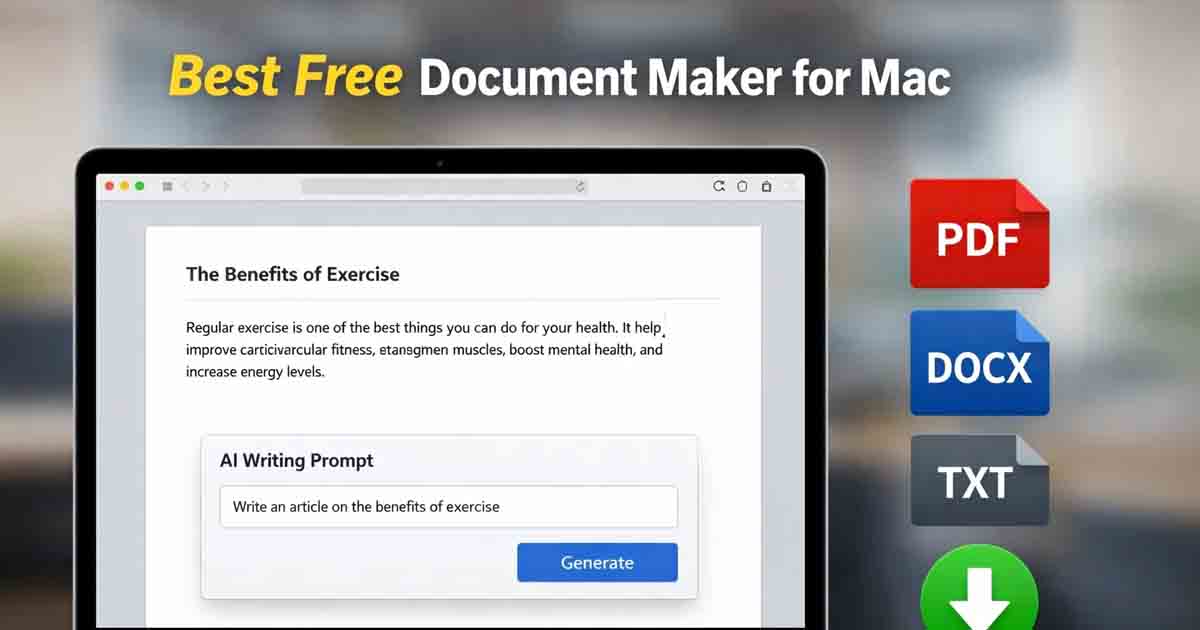
AI Document Writer for generating structured written content.
Image to PDF Converter for combining images into printable documents.
Text to PDF Tool for converting plain text into formatted PDFs.
Text to Voice Tool for converting written content into speech.
Word Counter for analyzing word count and reading time.
Each tool is designed to load quickly and operate efficiently in macOS browsers, allowing documents to be generated within seconds.
How to Use Free Document Maker on Mac
Using browser-based document tools on macOS requires only a few simple steps:
Open Safari, Chrome, or Firefox on your Mac.
Visit Free Document Maker.
Select the document tool that matches your task.
Enter your content or upload the file you want to process.
Generate the document and download it instantly.
Most document generation and conversion tasks take only a few seconds to complete.
The Role of AI in Modern Document Creation
Artificial intelligence is increasingly being used to improve document workflows. AI-assisted tools can help generate structured text, organize information, and simplify document preparation.
For example, the AI Document Writer can assist users in creating drafts for various types of documents. Instead of starting with a blank page, users can generate initial content and then refine it according to their needs.
This type of automation helps reduce writing time and improves productivity, particularly for users who frequently create documents for work, study, or online publishing.
Accessible Across Devices
One advantage of browser-based tools is cross-device compatibility. Because Free Document Maker runs entirely online, the same tools can be accessed from macOS, Windows, Android, or iOS devices.
This flexibility allows users to create documents from different locations while maintaining consistent performance and document formatting.
Start Creating Documents on macOS
For Mac users who prefer simple and efficient tools, browser-based document platforms provide a practical alternative to traditional software. Documents can be created, converted, and downloaded instantly without additional installations.
Visit Free Document Maker to generate documents, convert files, and create PDFs online using lightweight browser-based tools.