In today’s digital-first environment, efficiency is everything. We are constantly navigating a sea of data, often trapped in various formats that require specialized tools to access. Whether you are a student or a business professional, mastering the AI Document Extract process and understanding file compression is the ultimate shortcut to a cleaner, faster workflow.
Platforms like FDM AI (Free Document Maker) offer a unique ecosystem where you can generate professional content and manage complex archives in one place. By integrating an AI Document Extract strategy with high-performance Archive Tools, you can move from raw data to a finished product in record time.
Why Intelligence Matters in Data Extraction
For years, "extraction" simply meant copying and pasting text. However, the rise of AI Document Extract technology has changed the game. Instead of just seeing characters on a page, artificial intelligence understands structure. It recognizes the difference between a date, a total price, and a vendor name on a messy invoice.
Using an AI Document Extract tool allows you to pull high-value insights from thousands of pages without the risk of manual typos. When paired with the AI Document Writer, this technology creates a "closed-loop" system: you extract the data you need and immediately transform it into a polished, professional report.
Navigating the World of Archive Formats: ZIP, RAR, and 7Z
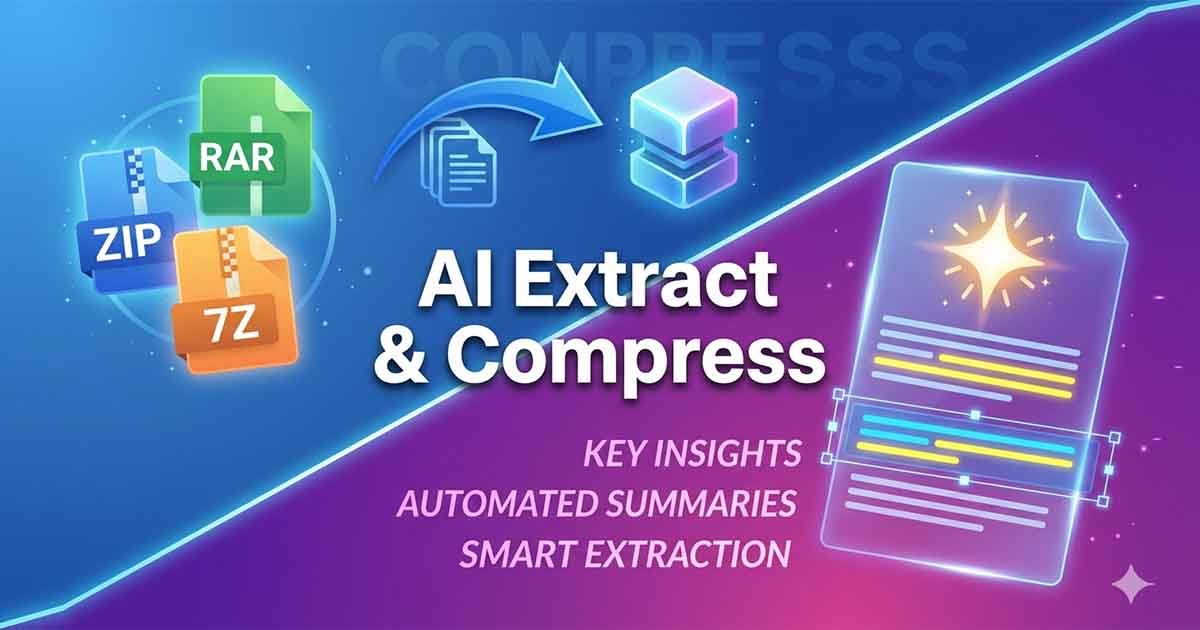
Once you have successfully used an AI Document Extract tool to organize your information, the next step is often sharing or storing those results. This is where file compression becomes vital. Handling large datasets requires a solid understanding of the "Big Three" formats.
1. ZIP: The Universal Standard
The ZIP format is the most popular way to share files after an AI Document Extract session. Because it is natively supported by almost every operating system, you don’t have to worry about whether your recipient can open the file. It provides a perfect balance of speed and compatibility.
2. RAR: Built for Data Integrity
If your AI Document Extract project involves massive folders or high-resolution images, you might prefer the RAR format. RAR is excellent at compressing large batches of files and includes "recovery records," which are a lifesaver if a file becomes slightly corrupted during a transfer.
3. 7Z: Maximum Space Savings
When storage space is your primary concern, 7Z (7-Zip) is the clear winner. This open-source format offers some of the highest compression ratios available today. It is the perfect choice for archiving old AI Document Extract results that you don’t need every day but want to keep in long-term cloud storage.
A Seamless Workflow: From Archive to AI
To maximize your productivity, you should view these tools as part of a single pipeline rather than separate utilities. Here is how a professional uses FDM AI (Free Document Maker) to get ahead:
Step 1: The Unpack: Receive a compressed 7Z or RAR file containing project data and use the browser-based tool to extract the contents.
Step 2: The Extract: Apply AI Document Extract techniques to pull the most relevant facts and figures from the newly opened PDFs or docs.
Step 3: The Write: Use those insights to generate a new summary or contract using the AI Writer.
Step 4: The Bundle: Compress the original sources and your new document into a single, neat ZIP file for your client.
The Advantages of (FDM AI) Free Document Maker
While there are many standalone apps for file management, using an integrated platform like Free Document Maker (FDM AI) offers several key benefits:
Zero Cost, Zero Barrier: You can perform an AI Document Extract or compress a 7Z file without a subscription or a complicated sign-up process.
Cross-Platform Performance: Since these tools run in your web browser, they work perfectly on Windows, Mac, and even mobile devices.
Privacy-Focused Processing: In an era where data security is paramount, using a browser-based AI Document Extract workflow ensures your sensitive files aren't stored on external servers longer than necessary.
No Technical Bloat: You don't need to install heavy software like WinRAR or Adobe Acrobat to manage your professional life.
Future-Proofing Your Digital Workspace
The trend in technology is moving away from complex, expensive software suites toward agile, AI-powered web tools. By mastering the AI Document Extract tools available now, you are training yourself to work smarter.
Imagine a future where your archive tool doesn't just unzip a file, but also summarizes the contents for you. This is the direction the industry is headed, and having a reliable "home base" for your document needs is essential.
Conclusion: Start Organizing Your Digital Life
Whether you are decompressing a rare RAR file or using AI Document Extract to simplify a complex project, the goal is the same: clarity and speed. By leveraging the Archive Tool and the suite of AI creators at Free Document Maker, you can turn a chaotic folder of files into a professional advantage.
Stop fighting with incompatible formats and start automating your data tasks. Try the AI Document Extract features today and see how much more you can achieve.