When you need to transcode, trim, or compress a media file, traditional cloud-based video converters often require you to upload your files to remote servers. This process can introduce bandwidth bottlenecks, slow transfer queues, and privacy concerns when handling confidential recordings.
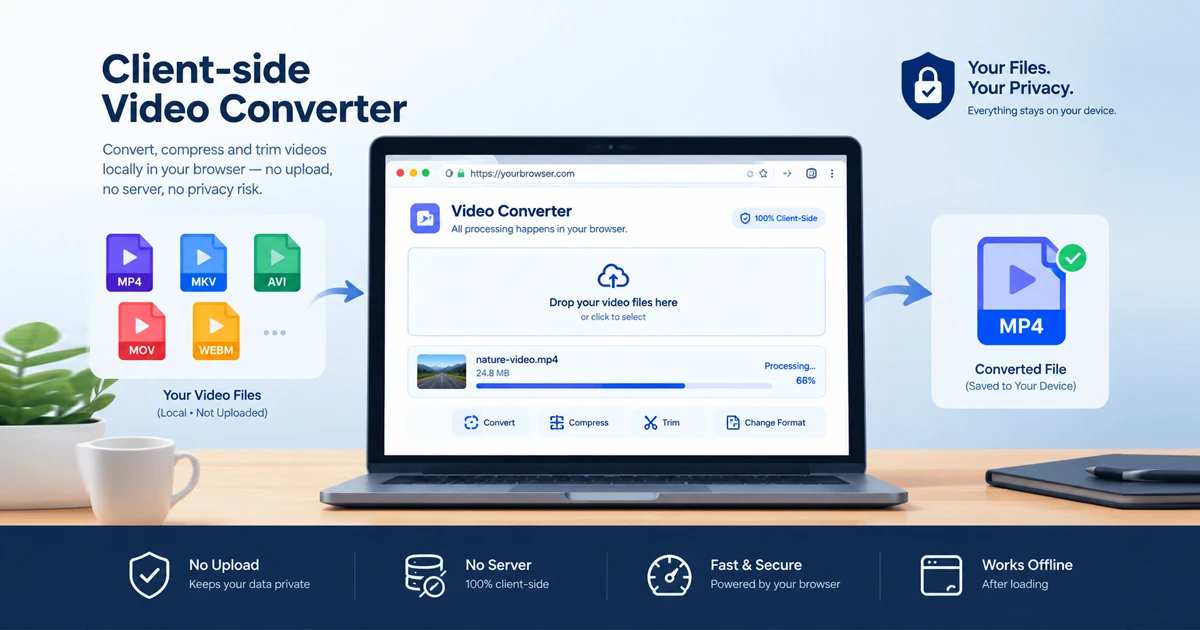
A client-side video converter offers a secure alternative by running processing routines directly inside your web browser sandbox using local device memory and WebAssembly.
With the Free Document Maker Video Converter and Media Converter Pro, you can manage and transcode supported media files locally in your browser session without transmitting your video data to external servers.
What Is a Client-Side Video Converter?
A client-side video converter is a browser-native media utility powered by WebAssembly and compiled FFmpeg binaries.
Instead of routing your files across the internet to an external cloud rendering farm, a client-side utility loads the processing engine directly into your browser tab. Your computer's CPU executes the decoding and encoding locally in your browser's session memory (RAM), ensuring that file processing happens directly on your device hardware.
Key Features of a Browser-Based Video Converter
The Free Document Maker Video Converter provides efficient media management while prioritizing local session security:
Convert Videos Without Server Uploads
Functioning as a secure zero upload video compressor and converter, the tool processes supported media files locally within your browser sandbox, avoiding external server storage transfers.
Supported Video and Audio Formats
The engine supports common container formats and codecs, enabling seamless handling of files such as MP4, MKV, AVI, MOV, and WebM, along with audio extraction options depending on compiled codec support.
Video Compression and Resolution Options
Whether you are scaling down lightweight clips or processing high-definition footage, the engine accommodates resolutions ranging from standard definitions up to 1080p and 4K, subject to your device's CPU capabilities and browser memory limits.
Local FFmpeg Processing With WebAssembly
By utilizing a client side ffmpeg video converter architecture, the application executes complex media transcoding locally via WebAssembly, bringing desktop-grade processing straight to your web browser.
How to Convert Videos Directly in Your Browser
Processing your media files locally takes just a few simple steps:
Step 1: Open the Video Converter Tool
Navigate directly to the Free Document Maker Video Converter in any modern browser (Chrome, Firefox, Safari, or Edge).
Step 2: Drop Your Video Document
Drag and drop your target file into the media dropzone. The interface supports standard web containers like MP4, MKV, AVI, MOV, and WebM.
Step 3: Monitor Live Video Analysis
The built-in analysis monitor reviews your input stream parameters locally in real time to prepare the sandbox environment.
Step 4: Export Locally
Trigger the conversion process. Once compiled by your browser session, save the resulting file directly to your local storage. (Note: Processing speed and file size handling—optimized for files up to 20MB—depend on your device hardware and browser memory allocation).
Client-Side vs. Cloud-Based Video Converters
Feature | Client-Side Video Converter | Traditional Cloud Converter | Local Desktop Software |
Server Uploads | None (Processed locally) | Mandatory upload | None (Local hard drive) |
Data Handling | Browser session RAM | Cloud server storage | Local hard drive |
Installation | None (Browser-native) | None (Web UI) | Heavy disk installation |
Processing Speed | Dependent on local CPU | Cloud server queue/speed | Local CPU / GPU |
Frequently Asked Questions (FAQ)
What is a client-side video converter?
A client-side video converter is a web tool that transcodes and compresses media files directly inside your browser using WebAssembly and FFmpeg without uploading files to remote servers.
Are my video files uploaded to external servers?
No. Processing happens locally within your browser session memory (RAM), ensuring your video data is not transmitted to external cloud storage buckets.
What video formats are supported?
The converter supports major container formats including MP4, MKV, AVI, MOV, and WebM, with format compatibility dependent on the codecs compiled into the browser engine.
Is there a file size limit for conversions?
To maintain optimal browser memory performance and prevent browser crashes, the tool is optimized for efficient processing with individual files up to 20MB.
Convert Videos Privately With Free Document Maker
Skip slow upload queues and cloud storage privacy risks. Experience fast, private, and accessible browser-based media conversion today.
👉 Open the Free Video Converter Nowyour .PPTX presentation immediately without providing an email address.
Create Your Editable PPTX Presentation for Free
Do not waste hours manually aligning slide margins or paying monthly subscriptions for basic presentation software. Experience fast, professional slide generation today.