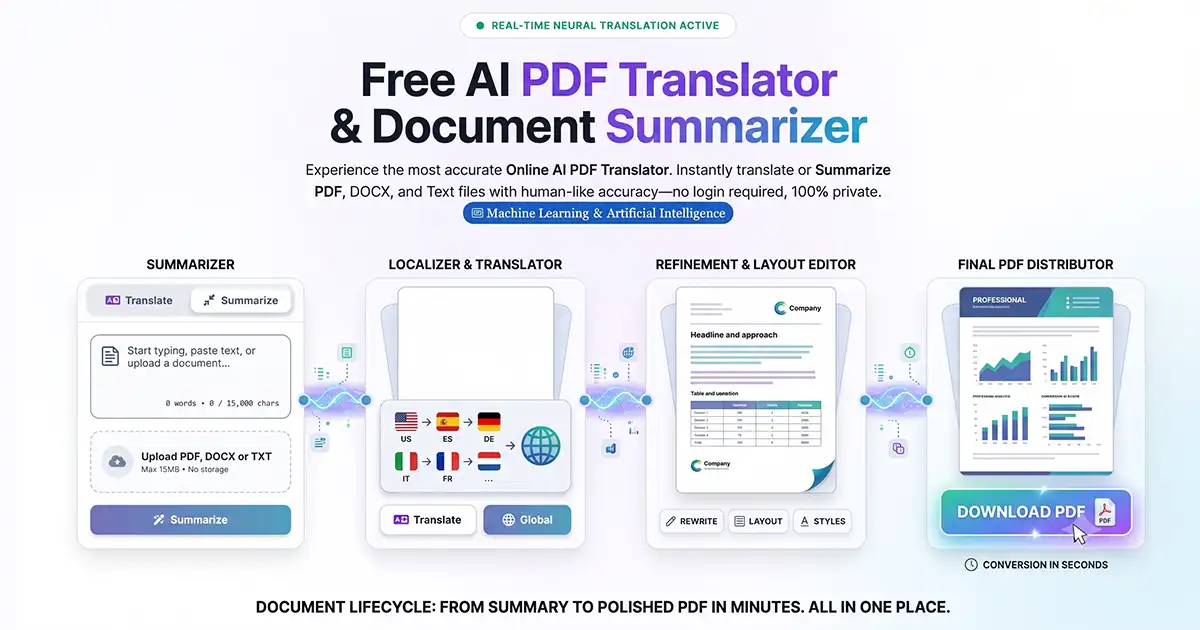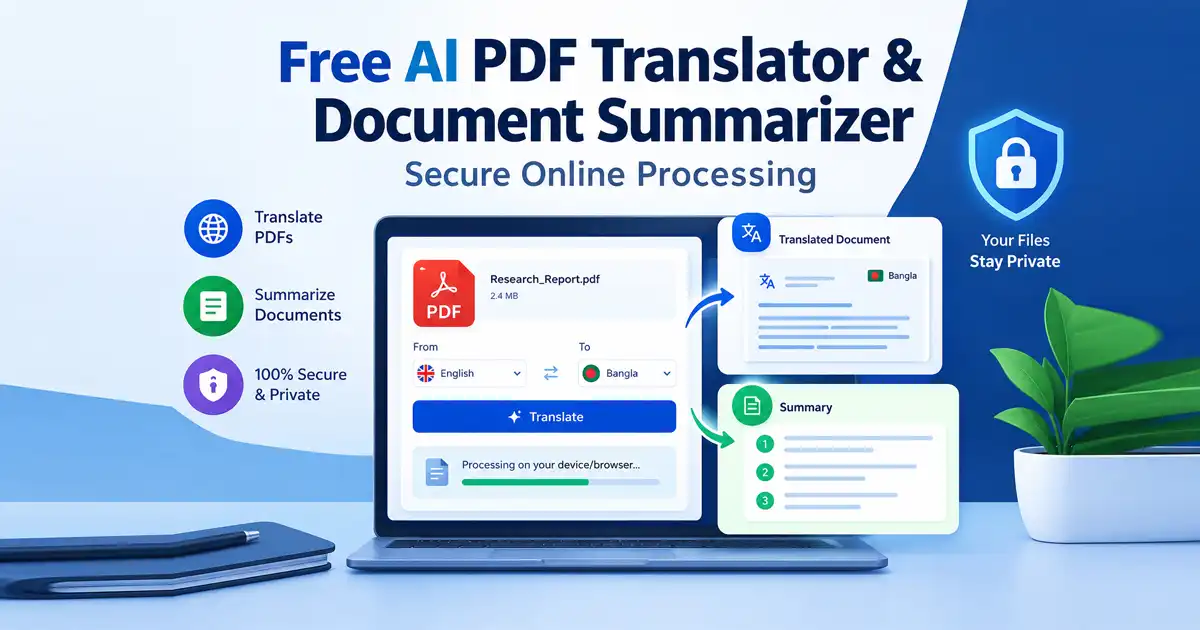
When dealing with global research papers, international contracts, or lengthy multi-page reports, language barriers and dense text can severely slow down your workflow. Traditional translation software and enterprise document tools often require tedious account registrations, costly subscription tiers, or expose your confidential files to third-party cloud servers.
A Free AI PDF Translator & Document Summarizer changes the paradigm entirely by offering high-speed, neural-accurate document processing with complete privacy and zero onboarding friction.
Whether you need to translate dense foreign documentation or condense a 50-page technical report into clear action points, Free Document Maker delivers enterprise-grade intelligence directly through your browser.
What Is an AI PDF Translator and Document Summarizer?
An AI PDF translator and ai document summarizer is a browser-native web utility powered by advanced deep-learning neural models.
Instead of traditional word-for-word substitution engines that yield robotic or awkward phrasing, a neural-aware document translator analyzes sentence structure, technical jargon, and contextual nuances to produce natural, human-like translations across over 100 global languages. Simultaneously, the built-in document summarizer extracts core findings, outlines, and key metrics in seconds.
Key Features of the Free Document Maker Translator Tool
The Free Document Maker Translator environment provides professional-grade language and synthesis control:
Neural Accuracy Across 100+ Languages
Leveraging a sophisticated deep-learning natural language processing (NLP) engine, the tool ensures that your translated documents read naturally in over 100 languages while preserving technical terminology and professional tone.
Instant PDF and DOCX Summarization
Beyond translation, the platform functions as a versatile ai document summarizer, allowing users to condense lengthy reports, academic journals, or business contracts into clear, structured takeaways.
Zero Login and Complete Privacy
Operating under a strict zero-friction philosophy, the tool requires no email signups, account creation, or software installation. Your files are processed securely with strict privacy-by-design standards.
Structure and Layout Integrity
Unlike basic text extractors that scramble formatting, the platform's export pipeline delivers cleanly formatted output files that mirror your original document structure.
How to Translate and Summarize Documents in Your Browser
Processing your global documents takes just a few simple steps:
Step 1: Open the Translator Tool
Navigate directly to the Free Document Maker AI Translator in any modern browser on desktop or mobile.
Step 2: Upload Your File
Drag and drop your target file into the dropzone. The interface supports major formats including PDF, DOCX (Word), and plain TXT files.
Step 3: Select Your Workflow
Choose whether you want to execute a full neural translation across your target language dialect or generate a concise document summary.
Step 4: Review and Export
Monitor the live processing pipeline and download your professionally formatted result instantly to your local storage.
Feature Comparison: Free Document Maker vs. Traditional Platforms
Feature | Free AI PDF Translator | Traditional Cloud Translators | Enterprise Suites |
Account Required | No (Zero Onboarding) | Mandatory Sign-up | Paid Corporate Account |
Data Privacy | Privacy-by-Design | Third-Party Logging | Variable Cloud Storage |
Cost | 100% Free | Free Tier Limits / Paywalls | Expensive Subscriptions |
Format Support | PDF, DOCX, TXT | Limited Formats | Complex Installation |
Frequently Asked Questions (FAQ)
What is a free AI PDF translator?
A free AI PDF translator is an online tool that uses deep learning and neural language models to translate documents like PDFs and Word files accurately without requiring a paid subscription.
Do I need to create an account to translate files?
No. Free Document Maker operates on a zero-friction model, meaning you can translate and summarize your files instantly without logging in or registering.
What file formats are supported?
The platform currently supports PDF, DOCX (Microsoft Word), and TXT files, with clean PDF export options for all processed documents.
Can I use the AI translator on my mobile phone?
Yes! The web platform is fully responsive and optimized for mobile browsers, letting you translate and summarize documents directly from your smartphone or tablet.
Start Translating and Summarizing Documents Securely Today
Stop struggling with rigid language barriers and restrictive software paywalls. Experience fast, accurate, and completely private document translation and summarization today.
👉 Open the Free AI PDF Translator Now fast, professional slide generation today.