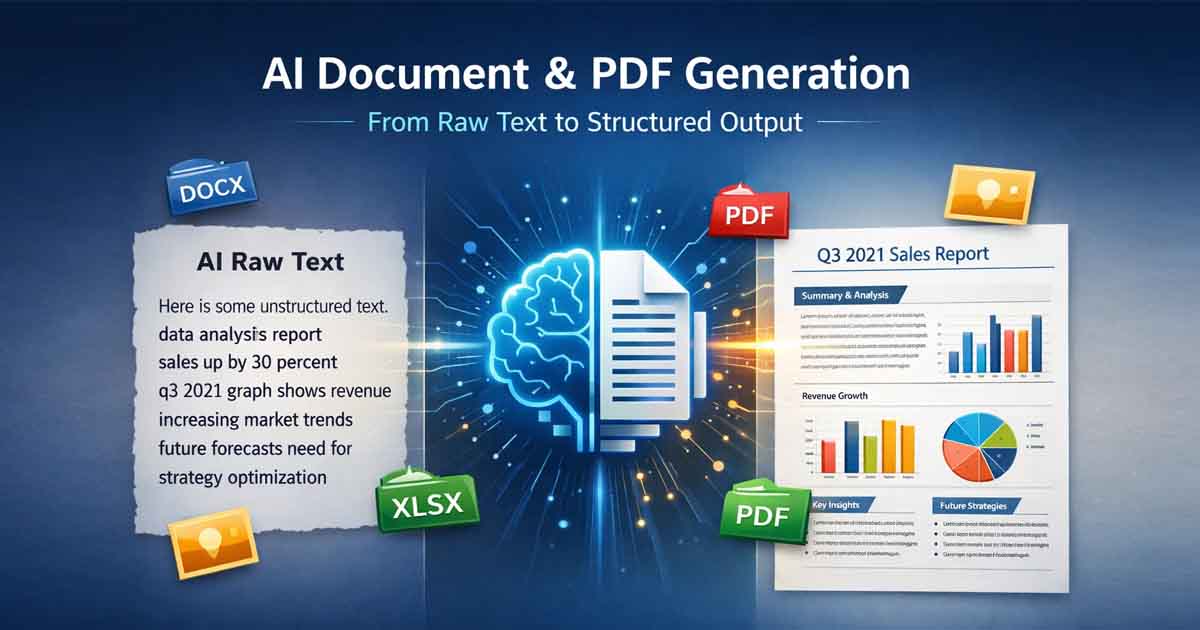
(Freedocumentmaker.com) -AI Document and PDF Generation has transformed how professionals create reports, contracts, presentations, and structured workflows. However, generating high-quality, ready-to-export PDFs requires more than creative AI text — it demands structured formatting, logical hierarchy, and workflow optimization.
AI can generate content in seconds.
But professional documents require layout logic, formatting consistency, file optimization, and usability standards.
To master AI Document and PDF Generation, you must bridge the gap between raw AI output and structured document design.
Here are 10 practical tips to improve your AI document and PDF generation workflow.
1. Structure with Clear Hierarchy
AI performs best when content follows a logical framework.
Use:
Clear headings (H1, H2, H3)
Bullet points
Numbered lists
Defined section breaks
Structured hierarchy helps:
Maintain formatting consistency
Improve readability
Simplify PDF layout rendering
Enhance SEO when publishing online
A well-structured document always performs better than a wall of unformatted text.
2. Use Explicit Instructions — Not Vague Prompts
Avoid prompts like:
“What is a tech summit?”
Instead, write:
“Create a structured 2-day event proposal for a tech summit including introduction, objectives, agenda, budget estimate, and recommendations.”
AI Document and PDF Generation improves dramatically when:
The format is defined
The output type is specified
Required sections are outlined
Clarity in instructions produces professional-ready results.
3. Break Large Documents into Sections
When generating:
Reports
Whitepapers
Legal drafts
Manuals
Avoid creating everything in one prompt.
Instead:
Generate an outline
Build section-by-section
Compile into a final structured document
This prevents:
Context loss
Repetition
Hallucinated details
Formatting inconsistencies
Modular generation leads to higher accuracy.
4. Optimize Images Before Embedding in PDFs
Proper image formatting improves:
File size
Loading speed
Export efficiency
Sharing performance
Best practices:
JPEG → Ideal for photographs
PNG → Best for logos and transparency
SVG → Perfect for scalable icons
Unoptimized images can make AI-generated PDFs unnecessarily large.
5. Use OCR for Scanned Documents
If your workflow includes:
Scanned contracts
Printed documents
Image-based PDFs
Use OCR (Optical Character Recognition) before AI processing.
OCR converts images into machine-readable text, allowing AI to:
Summarize content
Extract data
Edit text
Search within documents
Without OCR, AI Document and PDF Generation cannot properly analyze content.
6. Add Metadata to PDFs
Always complete document properties:
Title
Author
Subject
Keywords
Creation date
Metadata improves:
Document indexing
Internal search
AI categorization
SEO visibility
Professional PDFs include structured metadata by default.
7. Add Alt Text for Visual Content
AI cannot interpret charts or diagrams unless described.
Always include:
Alt text for images
Descriptions for graphs
Context for data tables
This enhances:
Accessibility compliance
AI summarization accuracy
Search engine discoverability
Accessible documents are future-proof documents.
8. Write Self-Contained Sections
Avoid phrases like:
“As mentioned above”
“See previous section”
“Discussed earlier”
AI tools often process documents in segments.
Each section should:
Stand alone
Be independently understandable
Provide complete context
This improves automated extraction and structured document workflows.
9. Always Perform a Human Review
AI accelerates document creation — it does not replace human oversight.
Before final PDF export:
Check formatting
Verify numbers
Review tone
Confirm accuracy
Validate legal or compliance language
A human-in-the-loop review prevents costly mistakes.
10. Use Specialized AI Document Platforms
General AI chat tools generate text.
Dedicated AI document platforms support full AI Document and PDF Generation workflows, including:
Structured layout automation
PDF-ready formatting
Template-based generation
Multi-format export (DOCX, PDF, XLSX)
Media embedding
Conversion tools
If your goal is professional, client-ready output, use tools designed specifically for document and PDF workflows.
Final Thoughts
Effective AI Document and PDF Generation is not just about prompting — it is about structured execution.
High-quality AI-driven documents require:
Clear hierarchy
Formatting control
File optimization
Accessibility awareness
Workflow automation
Human validation
When these elements work together, AI becomes a true productivity engine — not just a text generator.