Document Automation Tools That Improve Workflow in 2026
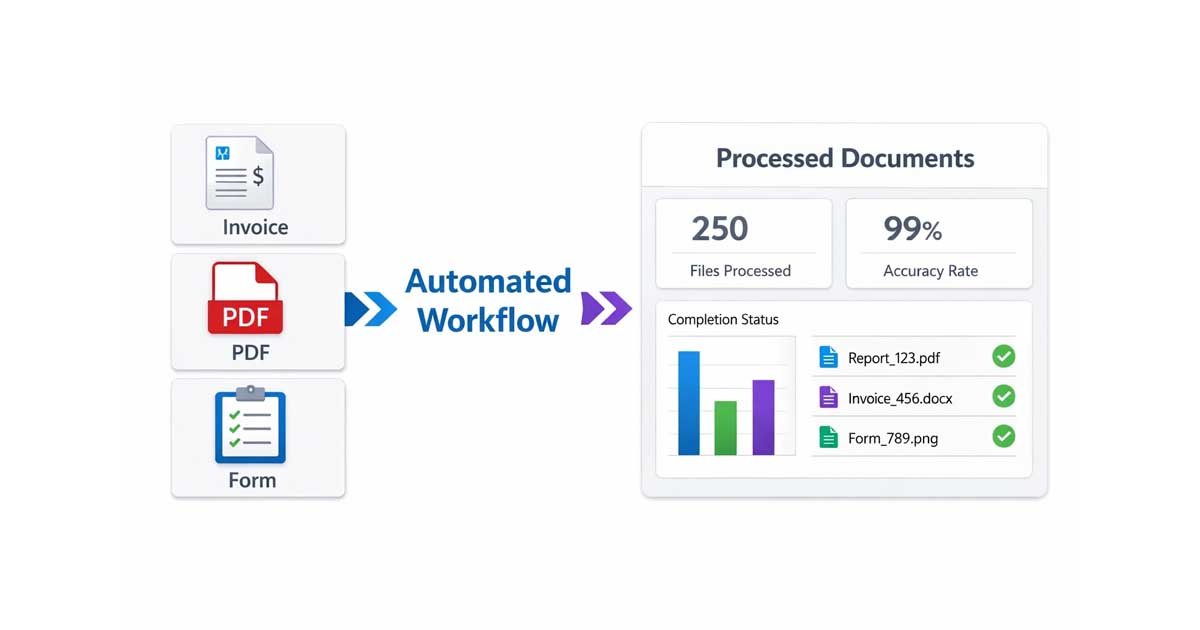
Document automation tools have become essential for businesses, startups, and freelancers who want to work faster, smarter, and with fewer errors. From invoices and PDFs to onboarding workflows and file conversions, automation removes repetitive manual work and improves overall productivity.
In today’s fast-moving environment, businesses that rely on manual document handling are already falling behind. Document automation tools workflow systems allow teams to generate, process, and manage documents instantly, freeing up time for strategy and growth.
In this expert-backed roundup, we explore how 10 professionals use document automation tools to streamline their workflow and eliminate hours of unnecessary work.
Why Document Automation Tools Workflow Matters
A strong document automation tools workflow is no longer optional. It directly impacts efficiency, accuracy, and scalability.
Businesses using automation can:
Reduce human error in documents
Save hours of repetitive work
Improve consistency across files
Speed up internal and external processes
Instead of managing documents manually, teams can focus on higher-value tasks such as decision-making and business growth.
1. Amazon’s AI Script for Document Automation Workflow
At Amazon, Praveen Chinusamy led a team that developed Python scripts using AWS Lambda to automate document conversion. This system processed XML, PDF, and compliance files into structured formats.
The automation pipeline was used with global partners like Samsung and BMW, reducing manual formatting work and improving onboarding speed. This is a strong example of how document automation tools workflow can scale at enterprise level.
2. Zapier Simplifies Real Estate Document Workflow
Chris Im from Easy Las Vegas Home Buyers uses Zapier to automate real estate documentation. Once a contract is signed via DocuSign, the system automatically:
Creates a Google Drive folder
Updates the CRM
Adds tasks to Asana
Sends email notifications
What once took 45 minutes now takes less than a minute. This shows how document automation tools workflow can transform time-heavy processes.
3. RPA Bots Automate Invoice Processing
At ReadyCloud, Robotic Process Automation (RPA) bots handle hundreds of invoices daily. These bots extract key data such as due dates and vendor details from PDFs and input them into accounting systems.
This document automation tools workflow reduced reporting delays and saved dozens of hours weekly.
4. Serverless PDF Automation at Scale
Chidambaram Bhat implemented a serverless system using Python and AWS Lambda to generate PDFs from trade confirmations.
Files were automatically processed, formatted, and stored in AWS S3. This workflow eliminated manual uploads and improved compliance tracking.
5. Email-to-PDF Automation Workflow
Nikita Sherbina created a Zapier workflow that converts incoming email attachments into PDFs and stores them in organized folders.
This document automation tools workflow removes the need for manual downloads and sorting, making file management effortless.
6. Shopify + Zapier Invoice Automation
Anahita Guha built an automated invoicing system by connecting Shopify, Google Sheets, and Google Docs.
Orders are automatically converted into invoices, formatted as PDFs, and sent to customers. This document automation tools workflow is fully customizable and eliminates the need for paid plugins.
7. CRM-Based Client Onboarding Automation
Marie Dingwall uses Zapier to automate onboarding workflows. When a new client signs up, folders and templates are created instantly.
This ensures consistency and removes repetitive setup tasks, even for small teams.
8. Bulk Invoice Generation with Make.com
Assaf Sternberg uses Make.com to automate bulk invoice generation from spreadsheets.
Each row generates a personalized invoice, sends it automatically, and updates logs. This document automation tools workflow saves over 30 hours per month.
9. Custom Workflows with n8n
Maksym Zakharko uses n8n to build flexible document automation pipelines.
Clients fill out forms, and the system generates and delivers PDFs instantly. Integration with tools like Dropbox, Gmail, and Slack makes this workflow highly adaptable.
10. Image Optimization Workflow with WebP Conversion
David Reynolds recommends using browser-based tools like pngtowebphero.com to convert images into WebP format.
This improves website speed, SEO performance, and user experience without requiring plugins or manual processing.
How Free Document Maker Fits into Document Automation Workflow
While many tools focus on complex automation setups, Free Document Maker (FDM AI) provides a simpler, faster approach.
With browser-based tools, users can:
Generate invoices instantly
Convert images and PDFs
Create structured documents without setup
Download clean files without watermark
This makes it ideal for freelancers and small teams who want quick results without technical complexity.
Explore:
Invoice Generator
Image to PDF
WebP Converter
AI-powered document tools
Final Thoughts on Document Automation Tools Workflow
Document automation tools workflow is one of the most important productivity upgrades in modern business.
Whether you are a startup founder, freelancer, or enterprise team, automation helps eliminate repetitive tasks and improve efficiency.
The tools highlighted here prove that even small improvements in workflow can save hours every week. Instead of spending time on formatting and file handling, you can focus on growth, strategy, and delivering value.
Automation is no longer optional. It is the foundation of how modern businesses operate.